1
17
10 Trap 48 RA - Quick Turn Up
The next section of this manual will walk you through one of the Trap 48 RA's most common
procedures. You will learn how to configure your inbound traps for an audio output - all using the Web
browser. For details on entering your settings into each Web browser menu, go to section 11 "Edit
Menu Field Descriptions."
10.1
How to Configure Trap Parsers for an Output
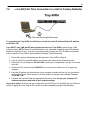
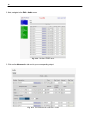
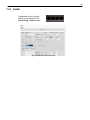
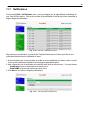
1. Click on the System button in the Edit menu and enter a valid community name for SNMP TRAP
requests in the "Inbound Trap Community" field. Be sure to Save your settings.
Fig. 10.1 - "Inbound Trap Community" under SNMP Settings in the Edit > System menu.