1
Contents
Visit our w ebsite at w w w .dpstele.com for the latest PDF m anual and FAQs
1 Trap 48 RA Overview
1
2 Specifications
3
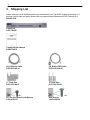
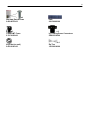
3 Shipping List
4
4 Installation
6
4.1
Tools Needed
6
4.2
Mounting
6
5 Trap 48 RA Back Panel
7
5.1
Power Connection
7
5.2
LAN Connection
8
5.3
Relay Outputs RJ-45 Connectors
8
5.4
Audio Output Connectors
6 Trap 48 RA Front Panel
6.1
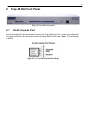
RJ-45 Console Port
7 Quick Start: How to Connect to the Trap 48 RA
10
11
11
12
7.1
...via RJ-45 Console Port (using TTY Interface)
12
7.2
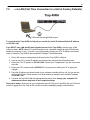
...via LAN (First Time Connection to a Unit at Factory Defaults)
13
8 TTY Interface
14
9 Trap 48 RA Web Browser
15
9.1
Logging on to the Trap 48 RA
9.1.1
Changing the Default Password
10 Trap 48 RA - Quick Turn Up
15
16
17
10.1
How to Configure Trap Parsers for an Output
17
10.2
Useful Tools
19
11 Edit Menu Field Descriptions
20
11.1
System
20
11.2
Ethernet
21
11.3
Controls
22
11.3.1
Configuring Granular OID
23
11.4
Audio
25
11.5
System Alarms
27
11.6
Ping Targets
28
11.7
Notifications
29
11.8
11.7.1
Notification Settings
30
11.7.2
Schedule
31
11.7.3
How to Send Email Notifications
32
Variable Bindings
35