1
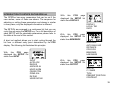
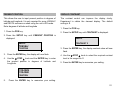
SELECTING THE RECEIVER INPUT TYPE
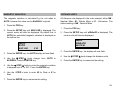
WAYPOINT ARRIVAL ALARM
If your GPSPlus system has a LORAN-C or DECCA
receiver, connected to the second receiver socket on the
rear of the unit, this can be selected to give positional
information. All of the features and functions of the GPSPlus
can be used with any of the receivers. This allows you to
select a different position fixer if one becomes unreliable, or
to compare accuracy of position.
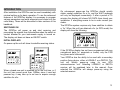
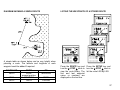
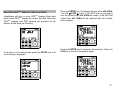
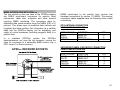
The waypoint arrival alarm is always active, i.e. it CANNOT
be disabled. It is used in conjunction with the auto advance
function. The auto advance function is used to automatically
select the next waypoint in a route or sailplan. The waypoint
arrival alarm is triggered when the vessel is within a preset
radius around the target waypoint. The alarm is triggered in
two ways.
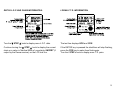
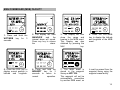
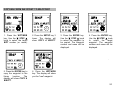
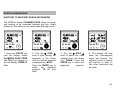
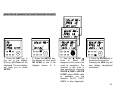
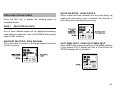
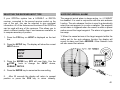
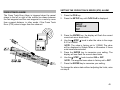
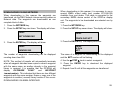
1. Press the POS key so HDOP is displayed on the text
line.
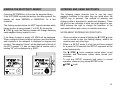
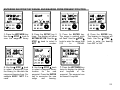
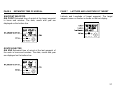
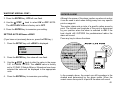
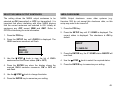
1. When the vessel arrives at the target waypoint within the
radius set for the auto advance function the display will
sound its alarm and flash ARRIVED. Other Network units
will also sound their alarms.
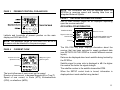
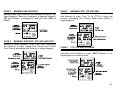
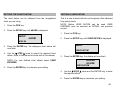
2. Press the SETUP key. The display will show the current
INPUT device.
SEtUP
InPUt
GPS
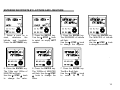
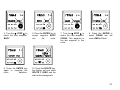
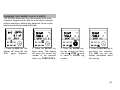
3. Press the ENTER key GPS will now flash. Use the
▼ STEP ▲ knob to change the INPUT device,
LORAN-C, DECCA.
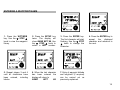
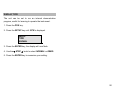
4. Press the ENTER key to memorise the new setting.
5.
After 30 seconds the display will return to present
position or press the POS key to return instantly.
40