1
USB driver.
2.1 Dedicated Trenz Electronic USB Driver Installation
2.1.1 Hardware and Firmware Setting
Previously, Trenz Electronic USB modules shipped with a DEWESoft USB firmware and a
DEWESoft USB Vendor ID / Device ID pair programmed. Now, all Trenz Electronic USB modules
ship with a Trenz Electronic USB firmware and Trenz Electronic USB Vendor ID / Device ID (VID
= 0x0bd0, PID = 0x0300) pair programmed.
Before connecting the USB cable, check that EEPROM switch is "ON" (USB controller connected
to EEPROM). Refer to your module manual for switch location.
2.1.2 Windows 7/8
2.1.2.1
Initial Part, Windows 7/8
Connect the USB cable and wait until the operating system detects new hardware.
At this point, two outcomes are possible.
1. If there is an Internet connection and Windows parameters are correctly set, the driver is
automatically downloaded from Microsoft Update and installed.
Even if correct parameters are set, it may happen that the operating system informs you that
is unable to install the device. In this case, you can force this search (see 2.1.2.3.2 Force the
online search)
2. The operating system informs you that is unable to install the device.
For the first outcome, see 2.1.2.3 Windows 7/8 Installation – online, automatic.
Hereunder it is explained what to do for the second outcome.
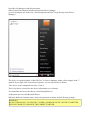
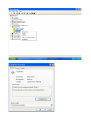
Open Device Manager using this procedure:
Start\Control Panel\System and Security\System\Device Manger
(or write devmgmt.msc in the line “Search programs and files” to go directly to the Device
Manager).
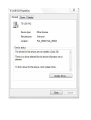
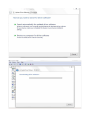
The device is registered under “Other Devices” in Device Manager with a yellow triangle with “!”
symbol. If you right click it and then select Properties, you can read as Device Status:
“The drivers for this device are not installed. (Code 28)
There is no driver selected for the device information set or element.
To find a driver for this device, click Update Driver”
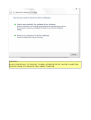
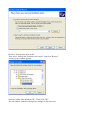
At this point you shall click Update Driver.
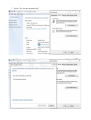
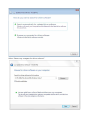
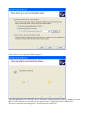
When the hardware assistant starts, answer its questions as shown in the following example.