1
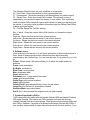
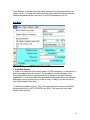
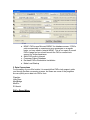
Type “Master” in the user name field and “password” in the password field, as
shown. Hit OK. You now have administrative rights within the software and can
change the password and user name if you find it necessary to do so.
File Menu
1. Auto Web Update
In order to be using the most recent version of PAPrx software, it is necessary to
download updates over the Internet. These updates contain changes to the
Patient Assistance forms, improvements to the software, and new reporting
capabilities. It is recommended that users download updates about once a week,
although a pop-up will remind you to do so every 14 days if you do not run an
Auto Web Update before then.
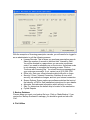
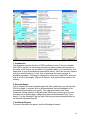
To download updates, click on ‘File’ in the upper-left-hand corner of the PAPrx
window and click on ‘AUTO UPDATE from Web’. This opens the Auto Web
Update Utility window.
14