1
9.2
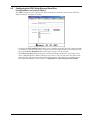
Configuring the UPS Polling Rate and Serial Port
(Configurations 1 and 2 only in Table 2)
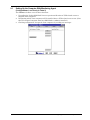
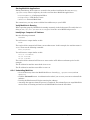
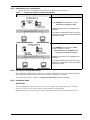
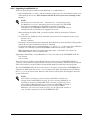
The UPS tab permits you to specify how often the software checks the status of the UPS. The
default setting is 4 seconds, as shown.
• To change the UPS polling rate setting, enter a number in the box and select units (seconds
or minutes) as desired. At any time, you may restore the original polling rate setting by clicking on the Factory Defaults button. The typical range is 2 to 60 seconds.
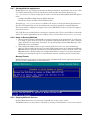
• The UPS serial port displays the port you selected during installation. If no longer valid,
select a different port by double-clicking on your choice. You may also enter the name of the
port manually. Any port name entered manually becomes part of the list of available ports.
For further information on serial ports, see Appendix A - Operating System Details.
Configuring MultiLink for Your System
17