1
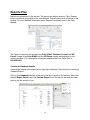
To print this report go to the PREVIEW menu and select Print Page to print the current
page or Print All to print the entire report.
Some reports will have more than one page. To view the next page you can go to the
Preview menu and select Next Page.
Some reports will have separate pages for each employee. To view the report for the
next employee go to the Preview menu and select Next Employee.
To exit the report and return to the Reports Plus screen, go to the Preview menu and
select Exit Viewing.
Human Resources
This section is where you can set up the program to track contributions to Cafeteria
Plans and Pension Plans, Paid time off tracking for your employees, Evaluations,
Loans / Advances and the HR Forms.
The Human Resources section is covered in detail in the User Manual.
Company Information
This screen is where the information for the company is stored. The information here is
used to fill in the Company Information on the forms within the program. This section is
covered in more detail in the User Manual
16