1
Phonebook
! NOTE: The Phonebook feature is not supported by all
phones. Please refer to www.nav-tv.com for an up-to-date
phone compatibility list and software updates.
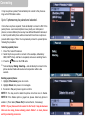
The PCM Radio is limited to 255 Phonebook entries!
NOTE: Phonebooks that have a large number of contacts
can take quite a long time to synchronize, please be
patient. During Phonebook synchronization, attempts to
pair or delete a phone will not operate reliably.
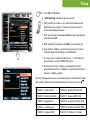
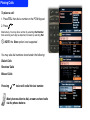
1. Press TEL, then select Phonebook
2. Rotate the knob right or left to select your entry. Quick
rotation will result in skipping the search by 25 entries.
3. Press
or select Dial to place a call.
! NOTE: The Phonebook can not be modified, as it is
stored in your phone. The Add, Edit and Delete options
will only appear to work, but no change is actually made
to your phone!s content. The Phonebook will refresh and
revert to the phone!s content upon re-connecting.