1
Advanced Energy®
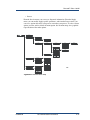
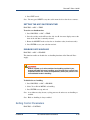
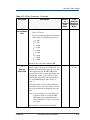
1. Press PROCESS → MONITOR → OVER_I.
Note: When you see the counter increment or “OC” flashing in the top level
menu of the output display screen, an over-current condition is active. For
an illustration of the output display screen, see “Two-Line Output Display
Screen” on page 4-18.
RESETTING THE OVER-CURRENT DENSITY
PROCESS → MONITOR → OVER_I → RESET
Use this option to reset the over-current density counter to zero. You can use this
feature to characterize a process by recording the over-current counter over the same
time period for every parameter change in the process. To use the over-current counter
in this way, reset both the counter and the period timing at the start of a parameter
change. Record the counter at the end of the timed period and repeat.
To reset the over-current density counter:
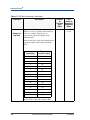
1. Press PROCESS → MONITOR → OVER_I → RESET.
SETTING THE OVER-CURRENT TIMER
PROCESS → MONITOR→ OVER_I → TIMER
Use this option to enable and set an over-current timer. This function lets you indicate
how long you want the power supply to tolerate an over-current condition before it
shuts off output.
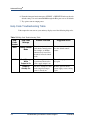
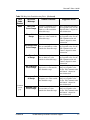
When the timer expires, the unit shuts off output and displays error code E087 (see
“Error Code Troubleshooting Table” on page 7-13) or passive front panel help code
H027 (see “Error Code Troubleshooting Table” on page 7-13).
To enable the over-current timer, follow these steps to select a value (in 0.1 s
increments). To disable the timer, follow these steps and select a value of 0.
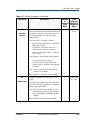
1. Press PROCESS → MONITOR → OVER_I → TIMER.
2. Rotate the MODIFY knob to adjust the value.
3. Press ENTER to accept and exit.
SETTING THE OUT-OF-SET POINT TIMER
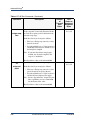
PROCESS → MONITOR→ SETPT
Use this option to enable and set an out-of-set point timer. This function lets you
indicate how long you want the power supply to tolerate an out-of-set point condition
before it shuts off output. An out-of-set point condition occurs whenever output
moves out of a range determined by your selected set point (see page 4-39).
4-34
I/O Communication and Control
5702285-B