1
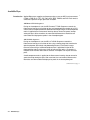
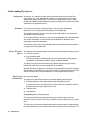
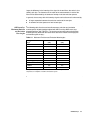
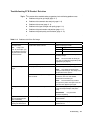
Troubleshooting PCR Product Detection
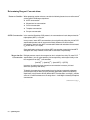
Topics This section offers troubleshooting suggestions for the following problem areas:
♦
Problems with gel or gel image (page 11-7)
♦
Problems with automatic data analysis (page 11-8)
♦
Problems with current (page 11-9)
♦
Problems with signal strength and quality (page 11-9)
♦
Problems with peak number and position (page 11-11)
♦
Problems with peak quality and resolution (page 11-13)
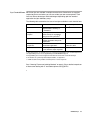
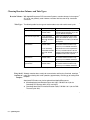
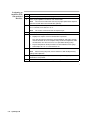
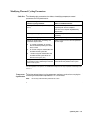
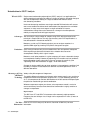
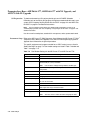
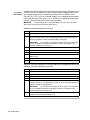
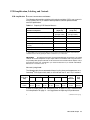
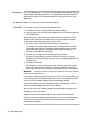
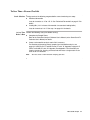
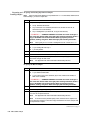
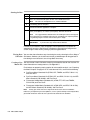
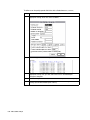
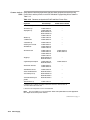
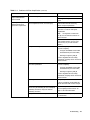
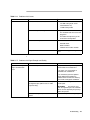
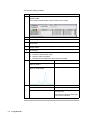
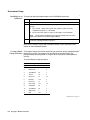
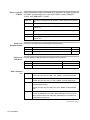
Table 11-4 Problems with Gel or Gel Image
Observation
Possible Causes
Recommended Actions
Misshapen wells
Suction when comb removed
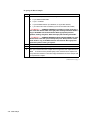
When removing the comb:
Note
If only a few
wells are misshapen, you
can still load the gel using
only those lanes with flat,
well-formed wells
Wet comb or well-former
1
Lay gel flat.
2
Pour 1X TBE over comb.
3
Remove comb slowly.
Ensure that comb is clean and dry before
inserting into gel.
Note
To ease insertion of comb, you
can “wet” the comb with acrylamide (or the
appropriate gel polymer).
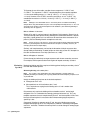
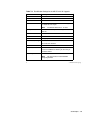
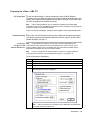
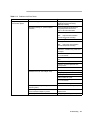
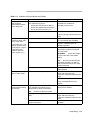
Severely bowed gel
image
Air bubbles trapped when comb inserted
Ensure that no air is trapped by comb.
Clamping bottom of gel plates
Do not clamp the bottom of the gel.
Note
Use clamps of equal tension
along the side of the gel. The clamps must
be placed over the spacers.
Gel extruded between plates into upper
buffer reservoir
After cleaning plates, soak for 10 minutes
in 3M HCl, then rinse with distilled,
deionized H2O. Remake gel.
Note
This will remove any residual
charge on the plates that might cause the
gel to become oppositely charged.
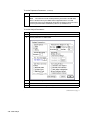
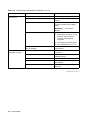
Red or green smearing on
gel
Gel dried out before running
Before storing a poured gel, wrap the gel
ends with damp Kimwipes and plastic
wrap.
IMPORTANT
Use gels within
24 hours of pouring.
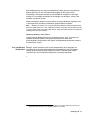
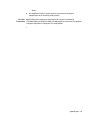
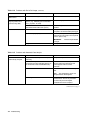
Appearance of
donut-shaped band (with
black central hole)
Too much sample loaded
Load less sample or remake sample with a
higher dilution.
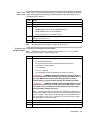
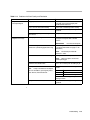
Large migrating region
showing no fluorescence
Plates not rinsed free of Alconox
Rinse plates thoroughly with distilled,
deionized H2O.
Troubleshooting 11-7