1
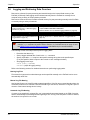
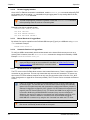
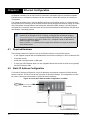
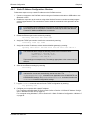
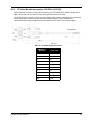
Operation 3.6.1 Chapter 3 Onboard Data Storage The ProPak6 contains 4 GB of memory for onboard data storage. Data can be logged to internal memory and downloaded for post-processing in a variety of ways. To begin logging: • Issue the LOGFILE OPEN command or press the Logging button • A log file must be open for logs to be recorded • Only one logging file can be open at a time • Logs collected onchanged are not output until there is a change to the content • Use the Status LED or the LOGFILESTATUS log to monitor logging status • The DIRENT log contains a list of the file contents currently in the onboard memory 3.6.1.1 Manual Logging Initiation Required log requests must be saved to the NVM prior to logging start. Example: LOG FILE VERSIONA LOG FILE RANGEB ONTIME1 LOG FILE BESTPOSB ONTIME1 SAVECONFIG Logging can be initiated by pressing the Logging button. Logged data is stored in the ProPak6 onboard, internal flash memory. Status LED Button LED State (default) Description Green (solid) Internal memory capacity >40% to within ±0.5% Amber (solid) Internal memory capacity between 20 and 40% to within ±0.5% Red (solid) Internal memory capacity >20% to within ±0.5% Green/Amber alternate System busy Off No activity-button not pressed The capacity indication level for the Logging LED can be configured using the LEDCONFIG command. Refer to the OEM6 Family Firmware Reference Manual (OM-20000129) for command details. Pressing the Log button ( ) automatically issues the LOGFILE OPEN or LOGFILE CLOSE commands (the open/close log status toggles between the two states). A maximum of 512 files can be stored (depending on individual file sizes). ProPak6 User Manual Rev 2 53