1
CBAS Manual – REV 08-12-2009
© 2009 Computrols, Inc
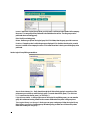
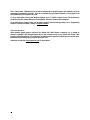
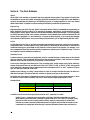
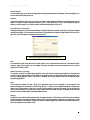
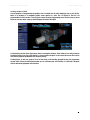
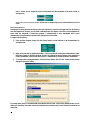
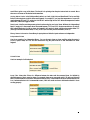
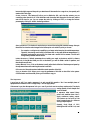
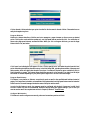
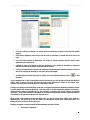
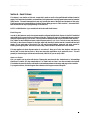
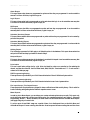
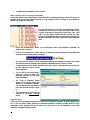
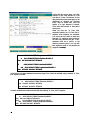
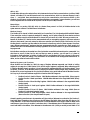
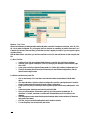
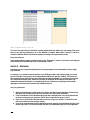
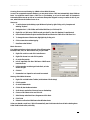
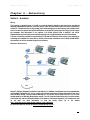
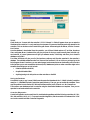
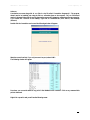
One of the most common uses of this screen is to check the firmware version. When calling Tech Support for help
with a problem, you might be asked for this information. The firmware version is listed as “Partnumber”. In the
example above, “8 V9.1” means that the controller is an 8, and the firmware is version 9.1. The other way to get
the firmware version is by using a Hand-Held Terminal.
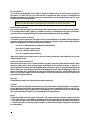
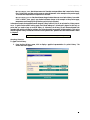
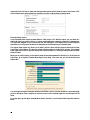
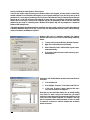
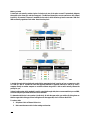
In the Database Storage section, you can see if changes made to the controller’s database have downloaded.
Check the “Stored At” date and time on the “Database stored in FLASH?” line. If the time listed is prior to
making the changes, then the database has not downloaded. However, the chances of this happening are slim.
CBAS automatically checks for differences between the server’s database and the controller’s database. If there is
a difference, the server’s database will download to the controller.
The TCP/IP Diagnostics section could be helpful in troubleshooting communications problems. If you have
errors here, then perhaps you have a network problem, like a bad wire, switch, or a computer/controller sending
out bad packets.
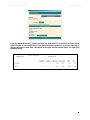
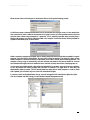
The bottom section, below TCP/IP Diagnostics, lists network settings, such as IP Address, Default Gateway,
Subnet Mask, and DNS Server Address. You can also tell if the controller is set to contact the CBAS Server
instead of being contacted by it. By default, controllers are set for DPU to Controller, which means that the
Server initiates the communication link. Controller to DPU means just the opposite. The controller must also be
set up in CBAS for this setting to work. Generally, this setting works in conjunction with DHCP, which allows
your controller to receive an IP address dynamically from a DHCP server on the local area network. By default,
controllers are set to not use DHCP and have a static IP address of 192.168.1.199.
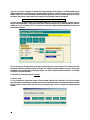
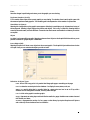
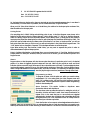
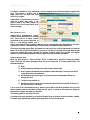
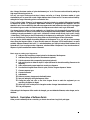
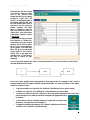
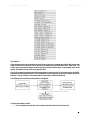
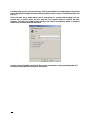
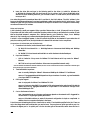
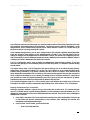
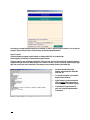
The Controller Diagnostics screen for a VAV controller looks a little different, but contains much of the same
information. Since VAV controllers communicate using RS-485 protocol, there will be no TCP/IP information.
Deleting the Database from a Controller
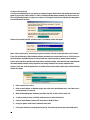
Deleting a controller’s database is a way of forcing a download to the controller. Also, if a controller has been
used on a RS RS-485 channel, and still holds that database, it will be necessary to erase the database. A TCP/IP
database will not download until the RS RS-485 database has been removed. There are four ways of deleting the
database from a controller:
1.
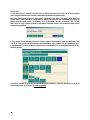
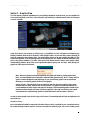
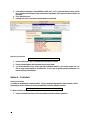
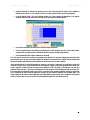
From CBAS in Hardware View, locate and click the controller, then click Erase Database. CBAS must be
in Real Mode with Normal communications to the controller. After rebooting, the controller will
immediately download the database again.
2.
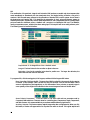
From the Hand –Held Terminal, go to the Main Menu.
o
Press 5 (not listed) then Enter
143