1
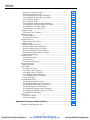
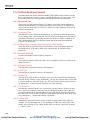
Table of Contents
Chapter
Title
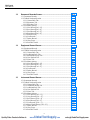
1 Introduction
Page
......................................................................................... 1-1
1.1 Introduction..................................................................................................1-3
2 Installing
DPCTrack2 .......................................................................... 2-1
2.1 DPCTrack2 Installation ...............................................................................2-3
2.2 System Requirements ..............................................................................2-3
2.3 Procedures ...............................................................................................2-3
2.4 Licensing .................................................................................................2-3
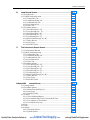
3 Getting
Started .................................................................................... 3-1
3.1 Starting the Program ....................................................................................3-3
3.2 Logging onto the System .............................................................................3-3
3.3 Security ........................................................................................................3-3
3.4 Predefined User Groups, User IDs and Passwords ......................................3-4
3.5 About the Sample Records...........................................................................3-4
3.6 Import DPCTrack Data ................................................................................3-4
3.7 Common Usage Scenario.............................................................................3-5
3.7.1 Instrument Record Creation / Revision / Retirement ..........................3-5
3.7.2 Test Instrument Record Creation / Revision / Retirement...................3-5
3.7.3 Use of your Company’s Calibration Program .....................................3-5
3.7.4 Upload/Download................................................................................3-5
3.7.5 Reports.................................................................................................3-6
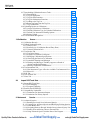
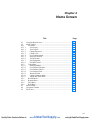
4 Home
Screen ....................................................................................... 4-1
4.1 Using the Home Screen ...............................................................................4-3
4.2 Menu Toolbar ..............................................................................................4-3
4.2.1 File Menu..............................................................................................4-3
4.2.2 Tools Menu...........................................................................................4-5
4.2.3 Records Menu.......................................................................................4-8
4.2.4 Reports Menu .......................................................................................4-8
4.2.5 Lists Menu ............................................................................................4-8
4.2.6 Help Menu ............................................................................................4-8
4.3 Main Toolbar ...............................................................................................4-9
i
Quality Fluke Products Online at:
www.
GlobalTestSupply.com
[email protected]