1
HDMI-TPS-TX90/RX90
User’s Manual
7. Troubleshooting
7.1. There is no picture
Check the cables
Due to the high data rates, the cables must fit very well. If your source or display
has more connectors then make sure that the proper interface is selected.
Check the power state of the devices
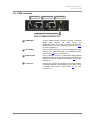
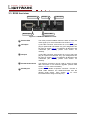
Check the LIVE LED on the front side of the HDMI-TPS-TX90 and the HDMI-TPSRX90. If the units are powered and ready to use the LIVE LED blinks once every
two seconds.
Check the TPS connection
Check if the CATx cable is connected properly between the transmitter and
receiver. In case of proper TPS connection the LINK LED lights continuously (or
blinks once every two seconds in power save mode).
Too long cable can corrupt the TPS communication. Please check the table of
maximum twisted pair distances in section 5.2.
Check the source unit and the display device
If the source unit provides HDCP encrypted signal the display device must support
HDCP encryption as well, otherwise the source will block the video stream in two
seconds.
Please refer to the user’s manuals of the HDMI source and display for information
about HDCP compliance.
HDMI-TPS-TX90 and RX90 are HDCP compliant devices
Section 7. Troubleshooting
Page 23 / 31