1
GC-10
5 different events can control the outputs:
• DIx: Digital input change.
• AIx: Analogue value reaching a setpoint.
• Tx: Cyclic time event.
• Timer: On-delay or off-delay timer function.
• CMD: Command SMS from mobile phone. By default all outputs can be controlled
from an SMS command message. If an output is not to be controlled from an SMS
command the box should be left blank.
The “On” and “Off” tick boxes provide the following functions:
• Ticking the “On” box will activate the output at the specific event.
• Ticking the “Off” box will de-activate the output at the specific event.
Ticking both the “On” and “Off” boxes will activate the output when – and only when
the specific event is activated.
Note: an output can be controlled by more than one input event. E.g. an output can
be activated by input 0 and de-activated by input 1.
Timer settings:
• When ticking the “On” box an On-delay function is provided for output 0.
• When ticking the “Off” box an Off-delay function is provided for output 0.
When you enable a timer function it is linked in between the event that controls output
0 and output 0. Enabling the timer alone does not give any function.
Ticking in Timer ON makes a simple a delay in the output going ON and ticking in
Timer OFF makes a delay in the output going OFF. It makes no difference whether it
is input event or a cyclic event that is set to activate the output.
Example:
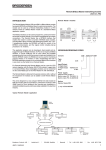
If an input event is to directly activate/deactivate an output and you enable Timer ON
– the function will be as shown in Fig. 1. I.e. the input has to be ON for longer than the
time delay before the output is activated.
Fig. 1
T
T
T
T
Event: DIx, AIx or Tx
DO0 On-delay
DO0 Off-delay
T= Time Setting
40202/03.10
17