1
GC-10
6. Setup and Configuration Parameters
The configuration tool is designed to provide you with easy and simple configuration
features. It is important that you get familiar with the basic configuration strategy. (See
page 6)
•
Start with the ‘Alarm Module Config‘ tab sheet. Define which events should
initiate which actions.
•
Next enter the ‘SMS Message and Profiles‘ tab sheet. Enter SMS Message
texts and setup profiles of the SMS alarm message recipients.
•
The third step is to enter the ‘SMS Mobile No‘ tab sheet and enter all the mobile
numbers for receiving SMS alarm messages. Authorised telephone numbers allowed
to receive status messages and change outputs are also entered here.
•
Finally you enter the ‘Output Control‘ tab sheet. This is for configuring simple control
functions for outputs.
After setting up the parameters and functions, you save the configuration in a project file
(*.ini) and download the settings into the GC-10 by pressing the Download button.
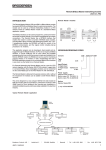
We recommend that you follow the configuration flow diagram, see page 9, as the
selection options in a tab sheet may disable or enable the parameter settings on a
following tab sheet.
40202 /03.10
8