1
The Observations Window
112
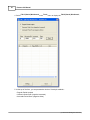
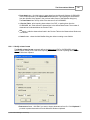
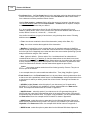
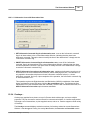
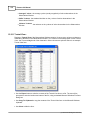
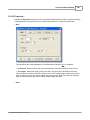
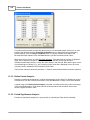
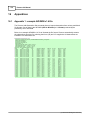
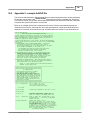
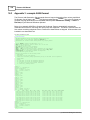
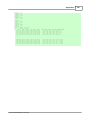
NSVS (Northern Sky Variability Survey) format. This option is only available if you have
selected Clipboard in the Data source frame. An example NSVS format is shown in
appendix 4.
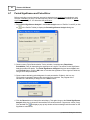
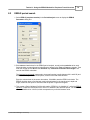
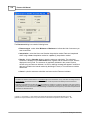
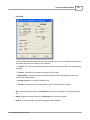
· Skip first .. rows : select this option if the data source file contains a number of starting
comment lines (‘rows’), that you want to skip during import. Indicate the amount of comment
lines to be skipped.
· Linux file : Linux files use special "line delimiters", that are different from Microsoft Windows
line delimiters. Enable the Linux file toggle when working with a Linux file.
· OK : closes the Modify column format dialog box and accepts the defined data source and
data format. The Import data from field in the Add ObsSetdialog box will be updated to
reflect your choices.
· Cancel : closes the Modify column format dialog box.
12.2.1.2 Advanced Options
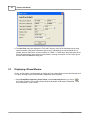
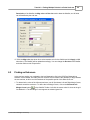
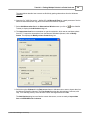
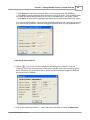
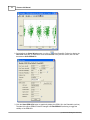
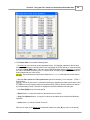
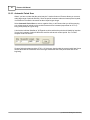
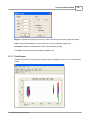
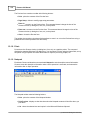
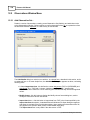
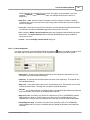
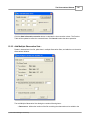
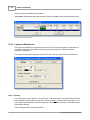
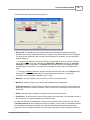
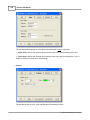
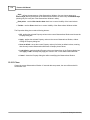
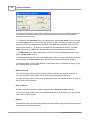
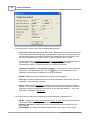
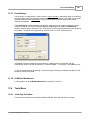
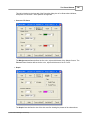
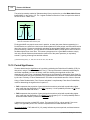
The upper right corner of the Add ObsSet dialog box displays a
button to expand the window. Click
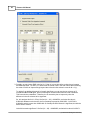
the button again to collapse the dialog box. In its expanded form, following new items appear :
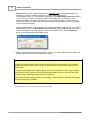
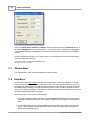
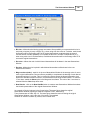
· Description : an optional text field that describes (in free format) the observation set. The
description can still be modified afterwards.
· Observer : an optional text field that defines the name of the observer(s). This field can still
be modified afterwards.
· Mag color : a drop down menu with a set of 15 predefined colors. The selected color is used
to draw the observations. The Mag color can still be modified afterwards.
· Dot size : an up-down field with 5 predefined values. The selected value defines the thickness
of the observation circles, drawn in the Observations Window.
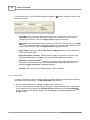
· Mag-error color : this field is only active if the data source (FILE or CLIPBOARD) contains
Magnitude Error values. It is a drop down menu with a set of 15 predefined colors. The
selected color is used to draw the magnitude error bars and can still be modified afterwards.
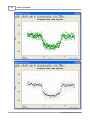
· Show Mag-error bars : this field is only active if the data source (FILE or CLIPBOARD)
contains Magnitude Error values. If enabled, then the ObsSet will be drawn with magnitude
error bars.
(c) 2004-2006 CBA Belgium Observatory