1
SECTION 3. PLOT TEMPLATE VIEW
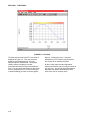
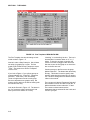
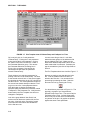
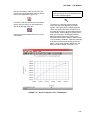
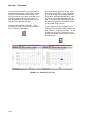
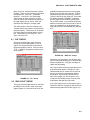
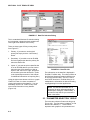
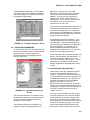
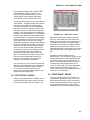
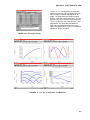
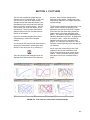
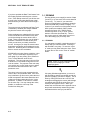
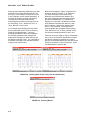
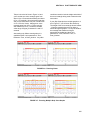
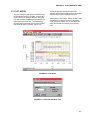
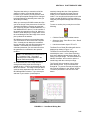
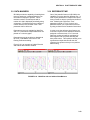
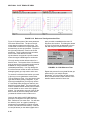
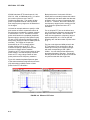
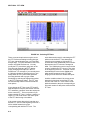
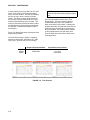
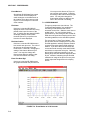
FIGURE 3-15. Reference Time Synchronizes Files
Figure 3-15 shows plots of the same parameter
from three different files. The plot on the left
simply plots the data versus actual time. The
result is that it is difficult to compare the traces
because they are not synchronized. The plot on
the right uses Reference Time for the X-axis
parameter. The 0.0 reference time point was
set for each of the data files so that
synchronization occurred at a specific location
where the engine’s RPM began to accelerate.
You only need to set the reference time for a
data file once. The location of the 0.0 reference
point is stored in the file’s header section and is
available for every parameter (including
calculated parameters). You may change the
0.0 reference time location as often as desired
although typically you only need to set it once.
To set the 0.0 reference time location you need
to plot one or more parameters versus either
Time or Reference Time. You may use any plot
type desired when plotting a single file. If you
wish to plot multiple files you may only use the
X-Y and Strip Chart plot types so that only one
data file is on each graph. The point where you
want to establish the 0.0 reference time location
must be visible on one or more of the graphs
plotted. You may wish to zoom in closer on the
data in order to more accurately locate where
you want the reference time location to be.
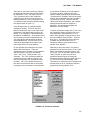
Once you are ready to tell ID-2000 where to
place the 0.0 reference time point select the
Edit - Reference Time menu item. You will then
be asked to “point” to a graph (containing a
parameter from the data file in which you wish
to set a new reference time location). Click the
mouse (left button) on the desired graph at the
3-14
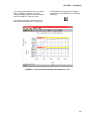
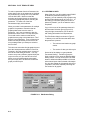
point you wish to establish as the new 0.0
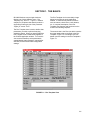
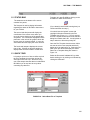
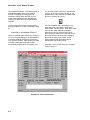
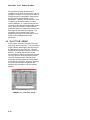
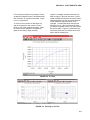
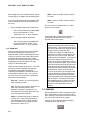
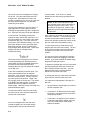
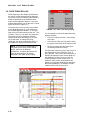
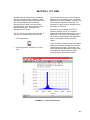
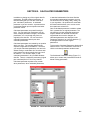
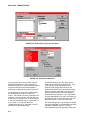
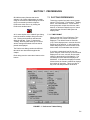
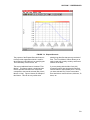
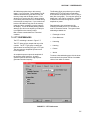
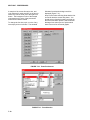
reference time location. The dialog box shown
in Figure 3-16 will then be displayed to let you
edit and verify the location of the 0.0 point.
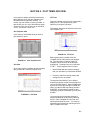
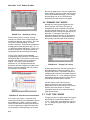
FIGURE 3-16. Edit Reference Time
Repeat this process for every data file that you
will be using in you multiple file plot.
Remember, you only need to do this once as
the 0.0 reference time location remains in the
data file header section for future use.