1
WATT P ILOT
1 . INTRODUCTION
November 2013
This user manual is designed to help to install and operate Watt Pilot. Before installing and operating Watt Pilot please read installation and operation instructions carefully. Safety instructions must be read carefully. If
there are any questions about contents of this manual please contact
[email protected]. Altechna reserves the right to update contents of
this manual without any notification.
Copyright UAB Altechna All Rights Reserved
No part of this manual, including the products and software described
in it, may be reproduced, transmitted, transcribed, stored in a retrieval
system, or translated into any language in any form or by any means, except documentation kept by the purchaser for backup purpose, without
the express written permission of UAB Altechna (hereinafter ALTECHNA).
Product warranty or service will not be extended if:
1. The product is repaired, modified or altered. Unless such repair, modification of alteration is authorized in writing by ALTECHNA; OR
TERUPTION OF BUSINES AND THE LIKE), EVEN IF ALTECHNA HAS BEEN
ADVISED OF THE POSSIBILITY OF SUCH DAMAGES ARISING FROM ANY
DEFECT OR ERROR IN THIS MANUAL OR PRODUCT.
1 .1 . Wat t P i lot s h o r t d e s c r i p t i o n
SPECIFICATIONS AND INFORMATION CONTAINED IN THIS MANUAL ARE
FURNISHED FOR INFORMATIONAL USE ONLY, AND ARE SUBJECT TO
CHANGE AT ANY TIME WITHOUT NOTICE, AND SHOULD NOT BE CONSTRUED AS A COMMITMENT BY ALTECHNA. ALTECHNA ASSUMES NO
RESPONSIBILITY OR LIABILITY FOR ANY ERRORS OR INACCURACIES THAT
MAY APPEAR IN THIS MANUAL, INCLUDING THE PRODUCTS AND SOFTWARE DESCRIBED IN IT.
1 .2 . G e n e r a l s a f e t y r e q u i r e m e n t s
2. The serial number of the product is defaced or missing.
ALTECHNA PROVIDES THIS MANUAL “AS IS“ WITHOUT WARRANTY OF
ANY KIND, EITHER EXPRESS OR IMPLIED, INCLUDING BUT NOT LIMITED
TO THE IMPLIED WARRANTIES OR CONDITIONS OF MERCHANTABILITY
FOR A PARTICULAR PURPOSE. IN NO EVENT SHALL ALTECHNA, ITS DIRECTORS, EMPLOYEES OR AGENTS BE LIABLE FOR ANY INDIRECT, SPECIAL INCIDENTAL, OR COSEQUENTIAL DAMAGES (INCLUDING DAMAGES
FOR LOSS OF PROFITS, LOSS OF BUSINESS, LOSS OF USE OR DATA, IN-
THIS MANUAL IS DIRECTLY CONNECTED TO FIRMWARE VERSION. LATEST
FIRMWARE, SOFTWARE AND MANUAL VERSIONS CAN BE DOWNLOADED FROM www.altechna.com.
Products and corporate names appearing in this manual may or may
not be registered trademarks or copyrights of their respective companies, and are used only for identification or explanation and to the
owner’s benefit, without intent to infringe.
CONTENTS
1 . INTRODUCTION . . . . . . . . . . . . . . . . . . . . . . . . . . . . . . . . . . . . . . . . . . . . . . . . . . . . . . . . . . . . . . . . . . 3
5.4. Operation modes: “Command” mode.. . . . . . . . . . . . . . . . . . . . . . . . . . . . . . . . . . . . . 13
1.1. Watt Pilot short description. . . . . . . . . . . . . . . . . . . . . . . . . . . . . . . . . . . . . . . . . . . . . . . . . . . . . . 3
5.5. Operation modes: “Step-Dir” mode. . . . . . . . . . . . . . . . . . . . . . . . . . . . . . . . . . . . . . . . . 13
1.2. General safety requirements. . . . . . . . . . . . . . . . . . . . . . . . . . . . . . . . . . . . . . . . . . . . . . . . . . . . . 3
5.6. “STEP/DIR INTERFACE” connector pin out and specifications. . . . . 13
1.3. Symbols.. . . . . . . . . . . . . . . . . . . . . . . . . . . . . . . . . . . . . . . . . . . . . . . . . . . . . . . . . . . . . . . . . . . . . . . . . . . . . . . . . . 3
5.7. “MOTOR” connector pin out. . . . . . . . . . . . . . . . . . . . . . . . . . . . . . . . . . . . . . . . . . . . . . . . . . . . 16
1.4. Regulation. . . . . . . . . . . . . . . . . . . . . . . . . . . . . . . . . . . . . . . . . . . . . . . . . . . . . . . . . . . . . . . . . . . . . . . . . . . . . . . 3
5.8. Supported Stepper Motors. . . . . . . . . . . . . . . . . . . . . . . . . . . . . . . . . . . . . . . . . . . . . . . . . . . . . 16
1.5. Operating and storage conditions. . . . . . . . . . . . . . . . . . . . . . . . . . . . . . . . . . . . . . . . . . . . 3
5.9. Watt Pilot controller connection examples
2. OP ERATION P RINCI PLE . . . . . . . . . . . . . . . . . . . . . . . . . . . . . . . . . . . . . . . . . . . . . . . . . . . . . . 4
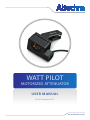
Motorized Watt Pilot is a computer controlled laser beam attenuation
device. It attenuates free space laser beam/pulse continuously without
introducing additional energy fluctuations. Watt Pilot is controlled by
computer via USB. Also it has “STEP/DIR INTERFACE” connector for controlling via other devices.
and input circuit diagram. . . . . . . . . . . . . . . . . . . . . . . . . . . . . . . . . . . . . . . . . . . . . . . . . . . . . . 16
3. PAC K AG ING CONTENTS . . . . . . . . . . . . . . . . . . . . . . . . . . . . . . . . . . . . . . . . . . . . . . . . . . . . . 4
6. W RITIN G SOFT WARE FOR WATT PILOT . . . . . . . . . . . . . . . . . . . . . . . . . . 1 7
3.1. Watt pilot main components. . . . . . . . . . . . . . . . . . . . . . . . . . . . . . . . . . . . . . . . . . . . . . . . 4
6.1. List of supported operating systems for USB drivers.. . . . . . . . . . . . . . . . 17
3.2. Optics assembling.. . . . . . . . . . . . . . . . . . . . . . . . . . . . . . . . . . . . . . . . . . . . . . . . . . . . . . . . . . . . . . . . . . . 4
6.2. Serial port parameters. . . . . . . . . . . . . . . . . . . . . . . . . . . . . . . . . . . . . . . . . . . . . . . . . . . . . . . . . . . . 17
4. WATT P ILOT SOFT WARE DESCRI PTION. . . . . . . . . . . . . . . . . . . . . . . . . . . . 5
6.3. Identifying serial port name. . . . . . . . . . . . . . . . . . . . . . . . . . . . . . . . . . . . . . . . . . . . . . . . . . . . 17
4.1. Computer requirements. . . . . . . . . . . . . . . . . . . . . . . . . . . . . . . . . . . . . . . . . . . . . . . . . . . . . . . . . . . 5
6.4. Serial commands and protocol. . . . . . . . . . . . . . . . . . . . . . . . . . . . . . . . . . . . . . . . . . . . . . . 17
4.2. Software installation.. . . . . . . . . . . . . . . . . . . . . . . . . . . . . . . . . . . . . . . . . . . . . . . . . . . . . . . . . . . . . . . . 5
6.5. Software recommendations. . . . . . . . . . . . . . . . . . . . . . . . . . . . . . . . . . . . . . . . . . . . . . . . . . . 20
4.3. Program first run. . . . . . . . . . . . . . . . . . . . . . . . . . . . . . . . . . . . . . . . . . . . . . . . . . . . . . . . . . . . . . . . . . . . . . 6
6.6. Serial command usage with National Instruments “LabView”. . . 21
4.4. Watt Pilot “Selector” window. . . . . . . . . . . . . . . . . . . . . . . . . . . . . . . . . . . . . . . . . . . . . . . . . . . . . 6
6.7. Relation between motor position and laser power. . . . . . . . . . . . . . . . . . 21
4.5. Calibration. . . . . . . . . . . . . . . . . . . . . . . . . . . . . . . . . . . . . . . . . . . . . . . . . . . . . . . . . . . . . . . . . . . . . . . . . . . . . . . 7
7. WATT PILOT ATTENUATOR DIMENSIONS . . . . . . . . . . . . . . . . . . . . . . . 2 2
4.6. Watt Pilot “Control” window. . . . . . . . . . . . . . . . . . . . . . . . . . . . . . . . . . . . . . . . . . . . . . . . . . . . . . 8
7.1. Standard attenuator dimensions.. . . . . . . . . . . . . . . . . . . . . . . . . . . . . . . . . . . . . . . . . . . . 22
4.7. Program preferences description. . . . . . . . . . . . . . . . . . . . . . . . . . . . . . . . . . . . . . . . . . . . 10
7.2. Big aperture attenuator dimensions.. . . . . . . . . . . . . . . . . . . . . . . . . . . . . . . . . . . . . . . 23
4.8. Motor settings description.. . . . . . . . . . . . . . . . . . . . . . . . . . . . . . . . . . . . . . . . . . . . . . . . . . . . . 10
7.3. Watt Pilot controller dimensions. . . . . . . . . . . . . . . . . . . . . . . . . . . . . . . . . . . . . . . . . . . . . 23
4.9. Firmware update.. . . . . . . . . . . . . . . . . . . . . . . . . . . . . . . . . . . . . . . . . . . . . . . . . . . . . . . . . . . . . . . . . . . 11
8. TROUBLESHOOTING . . . . . . . . . . . . . . . . . . . . . . . . . . . . . . . . . . . . . . . . . . . . . . . . . . . . . . . . . 2 4
5. WATT P ILOT CONTROLLER HARDWARE . . . . . . . . . . . . . . . . . . . . . . . . . 11
8.1. Real laser power does not match shown in software. . . . . . . . . . . . . . . 24
5.1. Controller specifications. . . . . . . . . . . . . . . . . . . . . . . . . . . . . . . . . . . . . . . . . . . . . . . . . . . . . . . . . 11
8.2. “Upgrade controller firmware now?” message appears. . . . . . . . . . . . . 24
5.2. Controller connections. . . . . . . . . . . . . . . . . . . . . . . . . . . . . . . . . . . . . . . . . . . . . . . . . . . . . . . . . . . 12
8.3. Firmware upgrade was unsuccessful or interrupted. . . . . . . . . . . . . . . . . 25
5.3. Controller internal block diagram.. . . . . . . . . . . . . . . . . . . . . . . . . . . . . . . . . . . . . . . . . . . 12
9. LIST OF TABLES. . . . . . . . . . . . . . . . . . . . . . . . . . . . . . . . . . . . . . . . . . . . . . . . . . . . . . . . . . . . . . . . . 2 5
Motorized Watt Pilot is designed to operate in conjunction with laser
system. All applicable rules and regulations for safe operation of lasers
must be known and applied while installing and operating Watt Pilot.
The customer is solely responsible for laser safety while using Watt Pilot
as standalone device or integrated into system. The customer must consider protective measures.
While assembling or operating Watt Pilot, do not stare at the direct
or scattered laser light even with safety goggles. All parts of the body
must be kept away from the laser radiation. While adjusting laser beam
through Watt Pilot, laser power must be kept as low as possible. Hazardous laser radiation can increase while optical components or instruments are used in combination with Watt Pilot. Appropriate eye protection must be worn at all times. Electrical safety requirements must be
complied while assembling and operating Watt Pilot.
1 .3 . S y m b o l s
WA RNI NG !
Sections marked with this symbol explain dangerous situations that can
result as personal injury or death. Always read the associated information carefully, before performing indicated procedure.
AT TENTI O N !
Paragraphs preceded by this symbol explain hazards that could damage
the instrument and connected equipment or may cause loss of data.
NOTE
These limits are designed to provide reasonable protection against
harmful interference in a residential installation. This equipment generates, uses, and can create radio frequency energy and, if not installed
and used in accordance with the instructions, may cause harmful interference with radio communications. However, there is no guarantee
that interference will not occur in a particular installation. If this equipment does cause harmful interference to radio or television reception,
which can be determined by turning the equipment off and on, the
user is encouraged to try to correct the interference by one or more of
the following measures:
• Reorient or relocate the receiving antenna.
• Increase the separation between the equipment and receiver.
•Connect the equipment into an outlet on a circuit different from
that to which the receiver is connected.
• Consult the dealer or an experienced radio/TV technician for help.
ALTECHNA is not responsible for any radio television interference
caused by modifications of this equipment or the substitution or attachment of connecting cables and equipment other than those specified
by ALTECHNA. The correction of interference caused by unauthorized
modification, substitution or attachment will be treated as responsibility
of the user.
AT TENTI O N !
Cellular phones or other radio transmitters are not recommended to
be used within the range of three meters of this unit since the electromagnetic field intensity may then exceed the maximum allowed disturbance values according to IEC 61326-1.
1 .5 . Op e r at i n g a n d s to r a g e co n d i t i o n s
For proper Watt Pilot functioning please use assigned controller (found
in the same package). Using unassigned controller might be harmful to
the device.
Environmental conditions that must be hold while storing, servicing
and operating are:
• Storage temperature should be between -25 °C and +60 °C.
• Operating temperature is 25 °C ± 10 °C.
• Watt Pilot must be protected from humidity, dust and corrosive vapors to avoid damaging optical components and electronics.
• Avoid strong static electricity and electromagnetic fields.
This manual also contains “NOTES” and “HINTS” written in this form.
1 .4 . R e g u l at i o n
AT TENTI O N !
The following statement applies to the products covered in this manual,
unless otherwise specified herein. The statement for other products will
appear in the accompanying documentation.
NOTES . . . . . . . . . . . . . . . . . . . . . . . . . . . . . . . . . . . . . . . . . . . . . . . . . . . . . . . . . . . . . . . . . . . . . . . . . . . . . . . . . 2 6
2
www.altechna.com
www.altechna.com
3