1
VIXO 2 Manual
MickyHop
Platform
The MickyHop platform is what makes Avov Set-top boxes so amazing; features an easy to
use interface, elaborate favorite/history functionalities, and the exclusive MickyHop Channel
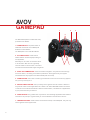
Store. Navigation through the interface is a breeze and can be done with either the IR Remote
or the Gamepad.
What makes the platform so unique is the comprehensive app store not offered on other
Avov Set-top boxes. There is an enormous amount of apps, all of which are free for download,
offered on the MickyHop Channel Store. All apps are streamed from developer controlled
cloud based servers, meaning there is constant support and control over the app’s
functionality and content.
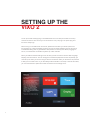
On your AVOV VIXO 2 box the MickyHop store will be located on the left hand navigation
pane underneath “My Channel.” To access the store simply highlight and then select it. This
will bring up navigation tab which breaks down all the applications into categories.
The most exciting feature about the VIXO 2 is that it now
supports a stable and fully functionable version of Kodi/
XBMC. This combines the best of both worlds with the
simplicity of the MickyHop Platform along with the extensive
freedom that Kodi/XBMC allows. To set up, simply go to the
MickyHop Channel Store and download the Kodi application. After the quick installation, it is ready to use.
For more information on
MickyHop please visit
their website at
www.mickyhop.org
5