1
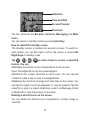
Screen and Keyboard Lock
The screen and keyboard lock prevents accidental use.
From any screen, hold
to lock the screen and keyboard and
the following screen appears.
You can also lock the screen and keyboard automatically. Select
Settings > Screen > Keylock Timeout.
To unlock the screen and keyboard, just drag
towards
.
Securing Your Phone
To protect your phone against unauthorized use, select Settings >
Security to activate security code, change security codes, or use
Fixed Dialing Numbers to restrict outgoing calls.
21