1
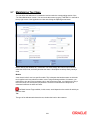
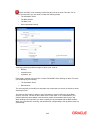
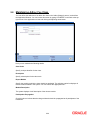
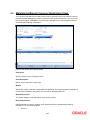
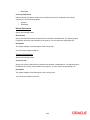
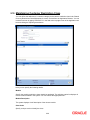
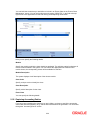
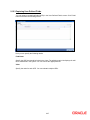
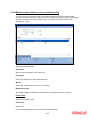
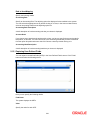
Allow Amendment If you would like to allow amendment of the interest amount calculated by the system as per the charge rule, check this box. Stop Application Check this box to indicate that collection should stop for the interest component. Grace Period Specify the number of grace days, beyond the main interest due date, after which that interest component becomes applicable. Prepayment Method Select the method for actual prepayment penalty computation from the adjoining drop-down list. The options available are: Oracle FLEXCUBE - This option is used where pre-payment has to be applied on the deposit contract for contract elapsed days. Custom - If the Prepayment Method is Custom, then the prepayment penalty in this case will be the minimum of prepayment penalty and Gross interest on the premature withdrawal amount. The system computes the interest amount to be liquidated due to prepayment of principal. You will not be allowed to specify the interest amount during the Payment input in such a case. Here, the system does not include the Acquired interest for processing. Also, if you have chosen the prepayment method as Custom, you cannot prepay or manually liquidate either the interest or the principal component. This option is used where pre-payment has to be applied on the deposit contract for contract remaining days. Main Component Check this box to indicate that the component should be treated as the main interest component. Link Contract as Ratecode Check this box to indicate that a fixed rate contract may be linked to the floating rate component, instead of a rate code. Propagation Required Check this option to indicate that the charge collected from the borrower must be passed on to the participants of the contract. Consider as Discount Check this box to indicate that the fee component should be considered as part of discount accrual. Interest Specify the following details: 2-4



![[December] [2010] Oracle Part Number E51712-01](http://vs1.manualzilla.com/store/data/005705420_1-4b383e67b8ec6628c44005398bb7935f-150x150.png)