1
Drivven, Inc.
EPT VI
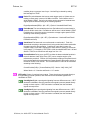
AllowNoCamStart When AllowNoCamStart is TRUE, and Stroke is TRUE, the
EPT will begin sync at the first occurrence of the pattern-specific unique
crankshaft feature, such as a crank tooth gap or a plus1 tooth. If the cam signal
is TRUE during the gap, then tooth number will start from 0. If the cam signal is
FALSE during the gap, then tooth count will start from mid-cycle. When
AllowNoCamStart is FALSE, and Stroke is TRUE, sync will only be started when
the crank feature is found while the cam signal is true, therefore only starting
tooth count from 0. Only set this input to TRUE if it is OK to be in sync 360
degrees out of phase in the case of a disconnected or faulty cam sensor. This
parameter is only available for N-M and N+1 pattern types.
SyncEnable When TRUE, sync is enabled and position tracking will take place if
a valid crank and cam signal pattern is presented to the EPT VI at an engine
speed greater than the stall speed.
SimEnable When TRUE, CrankSig and CamSig inputs within the EPTInSig
cluster are internally disconnected from the position tracking core and simulated
signals are connected in their place.
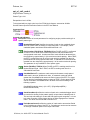
MissedCrankFlagClr When TRUE, the MissedCrankFlag within the EPTData
cluster will be cleared.
MissedPlus1FlagClr When TRUE, the MissedPlus1Flag within the EPTData
cluster will be cleared.
NoCamFlagClr When TRUE, the NoCamFlag within the EPTData cluster will be
cleared.
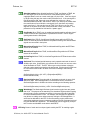
SimPeriod The simulated period between evenly spaced crank teeth in terms of
40 MHz clock ticks. SimPeriod is only effective when it is set to a non-zero value
while SimEnable is TRUE. The EPT will not sync to the simulator unless the
effective engine speed is greater than the stall speed. Engine speed in RPM can
be converted to SimPeriod in 40 MHz clock ticks according to the following
equation:
SimPeriod(clock ticks) = (60 * 4E7) / (EngineSpeed(RPM) *
NumberOfCrankTeeth)
SimCrankSigDuration The pulse width of simulated crank teeth in terms of 40
MHz clock ticks. SimCrankSigDuration in milliseconds can be converted to
SimCrankSigDuration in 40 MHz clock ticks according to the following equation:
SimCrankSigDuration(clock ticks) = 4E4 * SimCrankSigDuration(msec)
WatchdogIn The WatchdogIn Boolean signal must be toggled at a rate greater
than 4 Hz. The purpose of the watchdog is to shutdown engine position tracking
(as well as any engine synchronous outputs) in the case of a loss of LabVIEW
RT communication with the FPGA. For example, the LabVIEW RT application
may fail due to coding errors without properly closing the FPGA application. It
would not be desirable for the EPT to continue tracking engine position and
supervising engine synchronous outputs according to the last command received
from the LabVIEW RT application. The WatchdogIn can be toggled by a simple
NOT function and feedback node within LabVIEW RT.
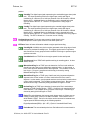
EPTInSig Cluster of crank and cam input signals used by the EPT for tracking engine
© Drivven, Inc. 2009 • EPT VI User’s Manual • Rev B
18