1
Drivven, Inc.
EPT VI
EngineSpeedAve(RPM) = (60 * 4E7) / (PeriodAccum * NumberOfCrankTeeth /
PeriodAccumCount)
When calculating engine speed, be sure to check for Period=0 and PeriodAccum=0, when the
crankshaft is stalled, otherwise a divide-by-zero condition will be introduced.
Drivven provides general RT sub VIs which can be implemented at the LabVIEW RT level for
performing these calculations. The VI named ticks2speed.vi can be used to convert Period or
PeriodAccum to RPM and internally accounts for Period=0. When converting Period to RPM, the
PulsesPerRotation should be set to NumberOfCrankTeeth. When converting PeriodAccum to
RPM, the PulsesPerRotation should be set to NumberOfCrankTeeth / PeriodAccumCount. For
simulation purposes, the VI named speed2ticks.vi can be used to convert RPM set point to
SimPeriod. Documentation for these sub VIs is provided in the General RT VIs user manual
included with all Drivven software installations.
CrankCount
During sync, the EPT provides the latest crank tooth count at the CrankCount output within the
EPTData cluster, referenced to tooth 0. Tooth 0 is determined according to the pattern that is
being tracked and is discussed within the Pattern-Specific Information section at the end of this
manual. CrankCount is provided in terms of a complete engine cycle and is reported as if there
were no missing or extra teeth in the pattern. For example, if the pattern type is N-M,
NumberOfCrankTeeth = 60 and Stroke = TRUE, then CrankCount will range from 0 to 119.
CrankCount is not required to be wired to any other location. It is for monitoring purposes only, or
may be used for addition processing beyond the scope of this document.
CurrentPosition
During sync, the EPT provides the latest crankshaft position at the CurrentPosition output within
the EPTData cluster in terms of absolute Crank Angle Ticks (CAT) over a complete engine cycle,
referenced to position 0. Position 0 is determined according to the pattern that is being tracked
and is discussed within the Pattern-Specific Information section at the end of this manual. The
CurrentPosition in CAD can be calculated according to the following:
CurrentPosition(CAD) = [CurrentPosition(CAT) * Stroke * 360] / MAX_CAT
Where Stroke = 2 if 4-stroke and Stroke = 1 if 2-stroke.
Drivven provides general RT sub VIs which can be implemented at the LabVIEW RT level for
performing these calculations. The VI named CAT2CAD.vi can be used to convert
CurrentPosition(CAT) to CAD. Documentation for these sub VIs is provided in the General RT
VIs user manual included with all Drivven software installations.
CurrentPosition is not required to be wired to any other location. It is for monitoring purposes
only, or may be used for addition processing beyond the scope of this document.
Position Tracking
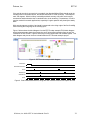
Between each crank tooth, CurrentPosition is incremented smoothly at a rate proportional to the
previous crank tooth period. In the presence of crankshaft acceleration or deceleration, sync is
still properly maintained. If a new crank tooth is received before CurrentPosition has incremented
to the correct position, then CurrentPosition is incremented at a faster rate until proper
synchronization is achieved. CurrentPosition is then further incremented at a rate proportional to
the previous crank tooth period. If CurrentPosition reaches the correct position expected for the
next tooth before the tooth is received, then CurrentPosition holds its value until the next crank
tooth. This mechanism, along with the aid of other unique pattern specific features, makes the
EPT VIs a very robust position tracking algorithm.
© Drivven, Inc. 2009 • EPT VI User’s Manual • Rev B
9