1
• • • • • • • • • • • • • • • • • • • • • • • • • • • • • • • • • • • • • • • • • • • • • • • • • • • • • • • • Using The Tool
Measurement Units
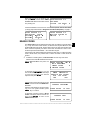
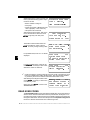
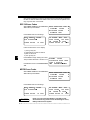
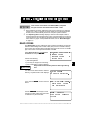
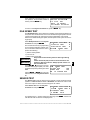
To change the measurement units, use
t he UP/DOWN arrow keys t o select
English/Metric and press ENTER.
In the Measurement Units menu, select
E n gl i sh o r M e tri c a n d t he n pre s s
ENTER . English is the default.
Press
Setup Tool
` 1)English/Metric
2)Tool Information
ENTER again to return to the Setup Tool menu.
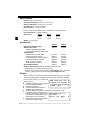
Tool Information
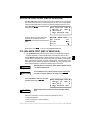
This function allows you to view specific tool information that may be needed
when contacting customer service. Select Tool Information with the UP/DOWN
arrow keys and press ENTER.
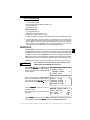
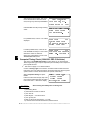
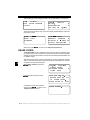
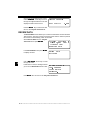
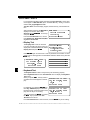
The information shown to the right displays
on the screen. Use the UP/DOWN arrow
keys to view all the lines.
Press the BACK or ENTER key to return to
the Setup Tool menu.
✓
Tool Information:
` Serial No: 42949672
SW ID:
D27FH
HW Ver:
1
Boot Ver:
2
Prod ID:
1
Board ID:
10
Burn Date: 03/07/02
Burn Loc:
255
Write this information in the space provided on the inside of the front cover.
Vehicle Selection
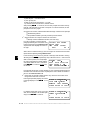
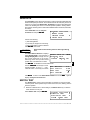
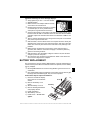
When the tool powers up, the “Key Button Help” screen is followed by a Main
Menu screen.
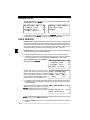
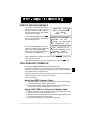
Pick Vehicle Diagnosis to begin Vehicle
Selection.
Main Menu
` Vehicle Diagnosis
Tool Setup
Tool Self-Test
|
[
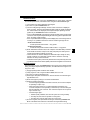
If there is a previous vehicle present, the tool displays that vehicle. You can
choose the last vehicle selected or setup for a new vehicle. The tool retains all data
retrieved from the last vehicle selected until any of the following occurs:
❒
❒
❒
❒
A new vehicle is selected
Battery is dead or disconnected
Tool is flash programmed to update software
The last vehicle selected is kept but you choose Erase Data
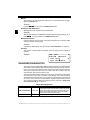
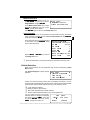
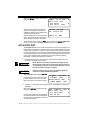
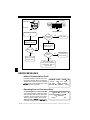
You can eit her keep t he previ ousl y
1995 Neon
selected vehicle or change it. If changing
C=2.0L
SFI SOHC
the vehicle, press the RIGHT arrow key
and press ENTER . Otherwise, press
ENTER to keep the current one.
<KEEP>
CHANGE
••••••••••••••••••••••••••••••••••••••••••••••••••••••••• 2–5
2