1
Table of contents
Table of contents ......................................................................................................3
1. Introduction ..........................................................................................................5
Vocatex Plus parts ........................................................................................................................... 5
Read aloud video vagnifier Vocatex Plus.................................................................................... 5
Screen ......................................................................................................................................... 5
Adapter ........................................................................................................................................ 6
HDMI-HDMI ................................................................................................................................. 6
What else might you need? .............................................................................................................. 6
Coaxial cable (for TV use) ........................................................................................................... 6
HDMI–DVI, HDMI-HDMI, VGA-VGA connector (computer connection) ..................................... 6
Audio cable (computer connection) ............................................................................................. 6
2. Safety and maintenance instructions ..................................................................7
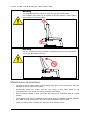
Safety instructions ............................................................................................................................ 7
Maintenance instructions .................................................................................................................. 8
3. First-time use ........................................................................................................9
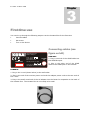
Connecting cables ............................................................................................................................ 9
Screen settings ............................................................................................................................... 10
Making sure the device works ........................................................................................................ 10
4. Controls ...............................................................................................................11
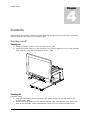
Turning on/off ................................................................................................................................. 11
Turning on ................................................................................................................................. 11
Turning off ................................................................................................................................. 11
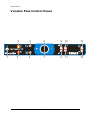
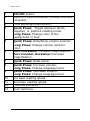
Vocatex Plus control panel.......................................................................................................12
Reading Aloud ......................................................................................................................... 124
Reading aloud ................................................................................................................................ 14
Steps to Follow .......................................................................................................................... 14
Continue to read ........................................................................................................................ 14
Pause ........................................................................................................................................ 14
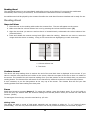
Sliding table .................................................................................................................................... 14
Horizontal brake.............................................................................................................................15
Control panel .................................................................................................................................. 15
Zoom in/zoom out...................................................................................................................... 15
Reading modes ......................................................................................................................... 15
Reading aloud ........................................................................................................................... 15
Column selector ........................................................................................................................ 16
Computer (Vocatex Plus) .......................................................................................................... 16
Contrast (Vocatex Plus) ............................................................................................................ 16
Previous/Next sentence (Vocatex Plus) .................................................................................... 16
3