1
Project Planning with PROFINET
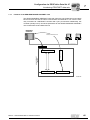
Startup procedure for the DFE32B option as gateway
5.6.2
5
Starting up units with DC 24 V or AC 400 V
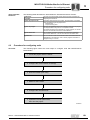
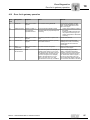
Step 1: Configure MOVITRAC® B
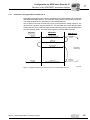
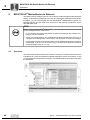
1. Start MOVITOOLS® MotionStudio and open a new project.
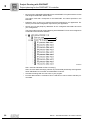
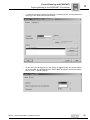
Specify a project name and assign USB11A programming interface according to serial COM interface.
– When the USB11A programming interface is connected to the PC for the first
time, Windows hardware detection installs the required FTDI driver
– If USB11A is not recognized, check the assignment to the COM interface. The
suitable COM port is marked by "USB"
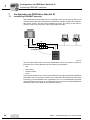
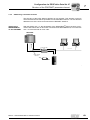
2. Connect the PC to MOVITRAC® B via USB11A programming interface.
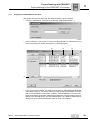
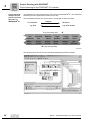
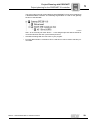
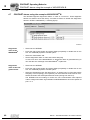
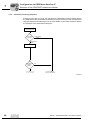
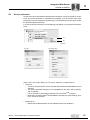
3. Perform a unit scan. Mark the unit with the mouse button and select [Startup] / [Parameter tree] via the right mouse button.
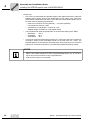
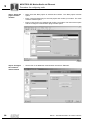
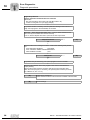
4. Set the parameters for P881 SBus address in ascending order (1 ... 8) unequal to 0
Set P883 SBus timeout interval to 50 ... 200 ms
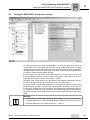
5. Set P100 setpoint source to "SBus1 / fixed setpoint" and P101 control signal source
to"SBus1".
6. For simple control via fieldbus, the binary inputs can be set to "No Function" via the
parameters P601 ... P608.
7. Check the parameter setting for the process data (P87x). The parameters for control
word and status word must be set. Set P876 PO data enable to "Yes".
8. Repeat steps 2 to 7 for the individual units connected to the SBus.
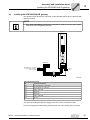
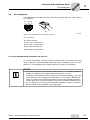
9. Activate "Auto setup" function via DIP switch "AS" of the DFx gateway. Set DIP
switch "AS" to "1". H1 LED flashes during the scan and goes out after successful
completion.
10.Connect the PC to DFx gateway via USB11A programming interface.
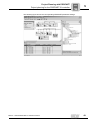
11.Perform a unit scan. Now, the DFx gateway and all units installed at the SBus must
be accessible.
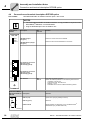
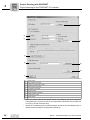
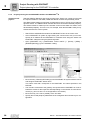
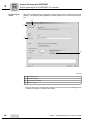
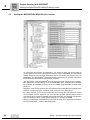
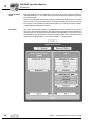
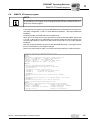
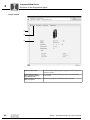
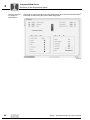
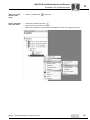
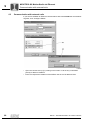
12.Mark DFx gateway and select [Diagnostics] / [Monitor Fieldbus Gateway DFx] with
the right mouse button. Go to the "Gateway Configuration" tab page and check
whether the "Auto setup" function has recognized all units. If not, check
– the SBus installation
– whether the terminating resistor is connected to the final unit
– the SBus addresses of the individual units
Manual – DFE32B PROFINET IO Fieldbus Interface
51