1
pDoc Pro Client User Manual
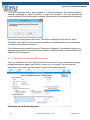
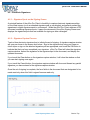
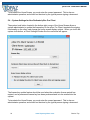
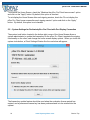
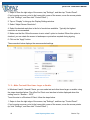
If the PDF document that is being opened is a secured document, the following dialog is
displayed prompting for “Open Password” to open the document. If the user provides the
correct password, then the document is opened, otherwise an error message will be displayed.
If the document being opened also had a “Permissions Password” along with the “Open
Password”, then features of the document are enabled or disabled based on the permissions
set when the document was secured.
If the document being opened has only a “Permissions Password”, the password dialog is not
displayed, but features of the document are enabled or disabled based on the permissions set
when the PDF was secured.
4.1.2 – Navigating and Viewing PDF Documents
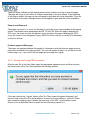
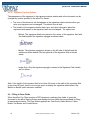
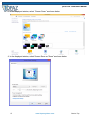
The icons available in the pDoc Signing Screen are used to scroll up or down within the page,
navigate between the pages, and zoom in or zoom out on the page. The icons that are
applicable for the current view are circled in green in the screenshot below.
Scroll page up and Scroll page down:
12
www.topazsystems.com
Back to Top