1
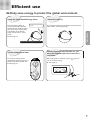
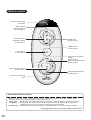
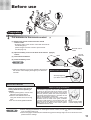
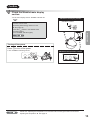
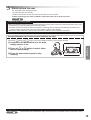
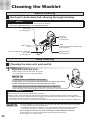
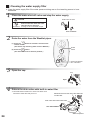
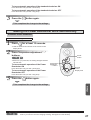
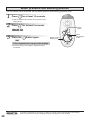
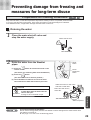
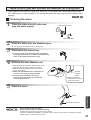
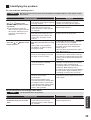
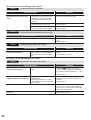
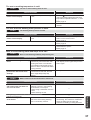
How to use the Washlet 1 Standard use of the Washlet 2 Sit on the seat. The seat sensor detects the presence of a person and all the functions become operative. ● The deodorizer starts. Please test the Power Deodorizer. ► See page 17 Use and stop the washing functions. Tip 1 Water pressure adjustment buttons Use these buttons to adjust the water pressure as you like (there are five levels). Press “+” to increase the water pressure, and “-” to decrease the water pressure. Every time you press the REAR or FRONT button, the position is reset to the standard position (3rd step). To set the preferred water pressure► See page 28 REAR button Use to wash the rear. oscillating wash►See below FRONT button Use as a bidet. Washing position adjustment buttons oscillating wash►See below Use these buttons to adjust the washing position as you like (there are five positions). STOP button Press “▲” to move the position forward, and “▼” to move the position backward. Every time you press the REAR or FRONT button, the position is reset to the standard position (3rd step). To set a preferred washing position► See page 28 Other convenient functions Oscillating wash This function moves the wand backward and forward to wash thoroughly over a larger area. (1) Press the or button to select. (2) Press the same button once. ● This starts the oscillating wash. This button stops rear and front washing. About the seat sensor ● The seat sensor detects when a person sits down. ● The seat sensor puts out Infrared rays, as shown in the illustration. ● The seat sensor might not work well in some conditions. ► See page 34-38 (3) Press the same button again. ● This stops the oscillating wash. Tip 14 1 Please sit fully on the seat. By doing so, the washing position will be more accurate and it is less likely that water will spray out from the Washlet.