1
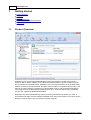
SmartSync Pro Interface
21
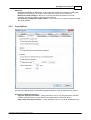
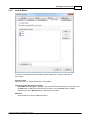
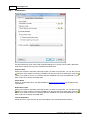
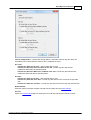
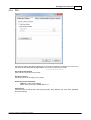
Retype Password - retype the password for verification.
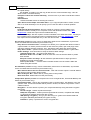
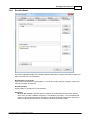
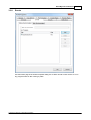
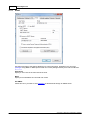
Backup Options (available for Incremental Backup only)
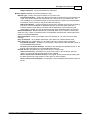
Backup Type - specify what type of backups do you want to do:
Incremental Backup - copies all of the files that have changed since the last backup was
made. They do this whether the last backup was a full one or an incremental copy. The
main advantage to incremental backups is that fewer files are copied in the period between
full backups, which means you will get a shorter backup time.
Differential Backup - copies those files that have been changed since the last full backup
took place. The key advantage of differential backups comes when data needs to be
restored. Because a full backup was taken and the differentials copied everything that
subsequently changed, only the full backup and the latest differential need to be restored.
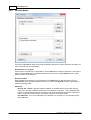
Restart Full Backup - Restarts full backup at specified period. If you choose to restart every
week then every 7 days a full backup will be accomplished, between these 2 dates jobs will be
done as incremental/differential.
Next Full Backup - shows you the date of the next full backup. You may correct this date
manually.
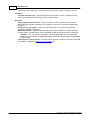
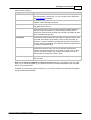
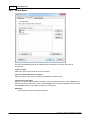
Keep all backups - do not delete old backups. This option may overload backup drive.
Keep only last - this option allows you to specify how many backups will be preserved.
incremental backups - SmartSync Pro will keep 1 full backup and the specified number of
incremental/differential backups.
full with all incremental backups - SmartSync Pro will keep the specified number of full
backup and all subsequent incremental/differential backups.
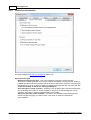
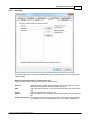
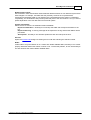
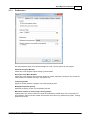
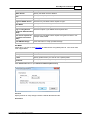
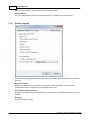
Remote file list - Specifies how to get remote file list to compare with:
Keep file list locally - SmartSync Pro keeps a local copy of remote file list. Use this
option if you are sure that all former backups are available.
Get file list from the latest full backup - the program scans all backup files starting with
the latest full backup to get the file list. This option is used by default.
Get file list from all backup files - the program scans all available backup files to get the
file list.
Copyright © 2000-2014, SmartSync Software