1
Chapter 11
You may generate descriptive reports that draw upon data found in the name records and
administrative reports useful in authorities management. See Chapter 14 for specific
instructions for generating reports.
Examples of the following reports are available in the Appendices:
1. Print Screen Print the list of name records as they are displayed in the list screen.
2. Names Select any name or any group of names. Report contains sort name, type
and source.
3. Accessions to Name List Select any name or any group of names to show name
records and accessions to which they are linked. Report contains sort name, type,
source and any accession records linked to that name.
4. Resources to Name List Select any name or any group of names to show name
records and resources to which they are linked. Report contains sort name, type,
source and any resources records linked to that name.
5. Resources and Accessions to Name List Select any name or any group of names
to show name records and resources and accession to which they are linked.
Report contains sort name, type, source and any resources records or accession
records linked to that name.
6. Name Record Select any name or any group of names to show all data contained
in the record.
7. Non-Preferred Names to Name List Select any name or any group of names to
show name records and their non-preferred forms. Report contains sort name,
type, source and any other non-preferred forms of that name.
Merging access terms
The Toolkit offers a Merge feature for subjects and names, which is useful for
management and clean up of your authority lists. Merging two terms together results in
the undesirable or redundant heading being deleted, and all of its linked accession and
description records being linked to the more desirable heading. You might use this
feature to perform clean up if importing data has resulted in redundant records or if you
find that related terms have been used inconsistently.
To merge two name or subject records:
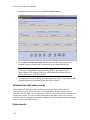
1. Open the Names or Subjects list screen.
2. Select the two or more terms that you wish to merge.
3. Press Merge.
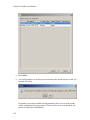
4. The Toolkit will prompt you to select the term you wish to merge into. Select a
term in the list.
153