1
Chapter
3
Operating in Expert Mode
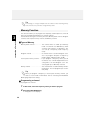
The DJ-X2 has two operating profiles; Easy mode and Expert mode.
In Expert mode, the following functions are available:
Memory Function
(P.30)
Setting the Antenna
(P.33)
Selecting the Modulation Mode
(P.34)
Setting the Tuning Step
(P.35)
Memory Skip
(P.36)
Descrambling
(P.37)
Operational Settings
(P.38)
3
This section explains how to use the additional functions in the Expert mode.
Operating in Expert Mode
Switching to Expert Mode
When shipped, the DJ-X2 is set to Easy Mode.
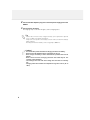
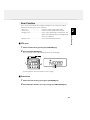
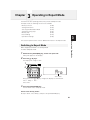
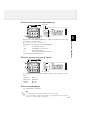
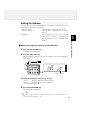
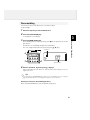
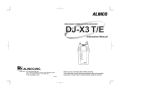
To switch to Expert mode:
1
2
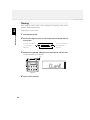
Hold down the [V/P/M (MW)] key, and turn the power ON.
"EASy" will appear on the display.
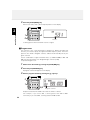
Press the [▲ / ▼] keys.
The display will change to "Pro".
DOWN
2
UP
1
RX FREQUENCY
0.5 ~ 1000MHz
700 MEMORY
CHANNELS
V/P/M
BATTERY ・・ EXTERNAL
X2
WIDE BAND COMMUNICATION RECEIVER DJ-X2
1MHz
SCAN
VOL/SQL
MW
ANT
MODE
SET
MONI
10MHz
PS
FUNC
SCRT
BANK
STEP/SKIP
ENTER
3
Lithium-ion BATTERY INSIDE
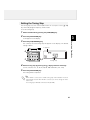
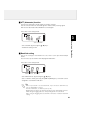
Select "Pro".
Every press of the [▲ / ▼] key changes the display as shown below.
"Pro" ➝ "EASy" ➝ "Pro" ···
Select "Pro".
3
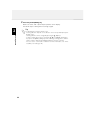
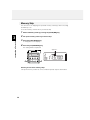
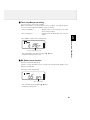
Press the [FUNC/ENTER] key.
The DJ-X2 will switch to Expert mode.
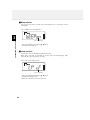
How to return to Easy mode?
At step-2 above, select "EASy", and press the [FUNC/ENTER] key.
29