1
ProVideo DVR-Q4 User Manual
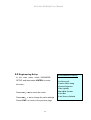
7. Recording Mode:
Manual Recording : Press <REC> recording key, for all cameras
to start recording, press <STOP> key, to stop
manual recording.
During “Schedule Recording” time, the <STOP> button does not
function when it has been pressed.
For other functions including: schedule recording, motion detection
recording, sensor input recording, please refer to the setup menu
section 8.5 starting on page 16 of this manual.
13