1
Requesting Maps
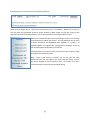
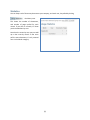
The
button in the Menu
pane takes you to the Map Request page
shown at right. Although the entire form will
not be visible until you select a county from
the drop-down.
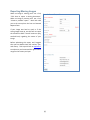
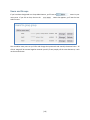
Once you have selected a county from the
drop-down the page will reload with a list of
maps in that county. The secondary drop
down shows the sub-division name, recording
date (if known), reception number (if known),
the SKLD map ID, and the number of imaged pages. If any of those fields are blank it is because SKLD
does not have that information. If the number of imaged pages is empty it means that SKLD does not
have a digital image of that map.
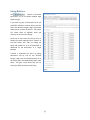
To Submit a Map Request fill the form out with the pertinent information. The submission will generate
emails to the email address you’ve provided in the “contact info” portion of the form. Each email will
refer to your Map request ID and will contain a request ID number.
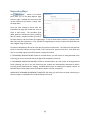
IF THE IMAGE(S) REQUESTED ARE FOUND in the SKLD library you will receive an auto-generated email
informing you that it was found and the image will be attached to the email.
IF THE IMAGE(S) REQUESTED WAS NOT FOUND in the SKLD library you will receive an auto-generated
email informing you that it was not found and your request was automatically forwarded to SKLD’s
scanning service department for imaging. Standard delivery time to complete this request is within 24
business hours but we always strive to complete it within a shorter time period.
WHEN SKLD’S SCANNING DEPARTMENT COMPLETES THE SCAN, you will receive an email informing you
that the image is completed and it will be attached to the email.
[8]






![Forms [packet] specific to Licensed Child Care](http://vs1.manualzilla.com/store/data/005750447_1-ace0dbf587046d14d311f9d21e5da3df-150x150.png)