1
VPN Connection
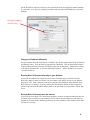
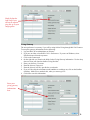
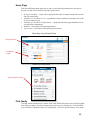
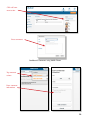
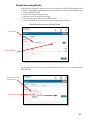
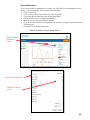
If you are only going to allow the use of Connect on your local area network or on VPN, mark the
box for VPN.
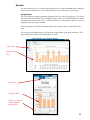
1. Log into Roll Call as Administrator or Director.
2. If you are on a Mac, select ROLLCALL> Preferences. If you are on Windows, select
Edit>Preferences from the top menu.
3. Click on the Connect tab.
4. On the right side, mark the box for VPN.
5. Click OK to save this preference.
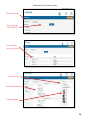
Mark VPN if
restricting use
to local area
network or VPN
connections
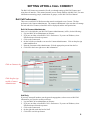
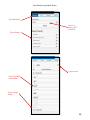
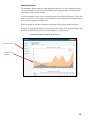
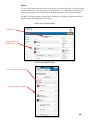
Indicate how
many months
you’d like to
keep logs
Access Logs
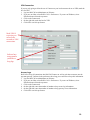
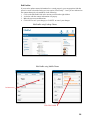
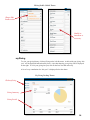
Roll Call will log all connections into Roll Call Connect as well as each time someone uses the
payment gateway. Indicate in the preferences how long you would like to keep this information.
1. Log into Roll Call as Administrator or Director.
2. If you are on a Mac, select ROLLCALL> Preferences. If you are on Windows, select
Edit>Preferences from the top menu.
3. Click on the Connect tab.
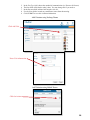
4. On the right side, enter the number of months to keep access log informaiton.
5. On the right side, enter the number of months to keep gateway access informaiton.
6. Click OK to save this preference.
10