1
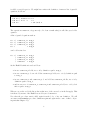
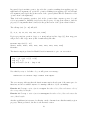
book website.1 The program code is the text in typewriter font that you find in rectangular
boxes throughout the chapters. Boxes may also contain code that is not included in the chapter
modules, usually because it defines functions that are already predefined by the Haskell system,
or because it redefines a function that is already defined elsewhere in the chapter.
Typewriter font is also used for pieces of interaction with the Haskell interpreter, but these
illustrations of how the interpreter behaves when particular files are loaded and commands are
given are not boxed.
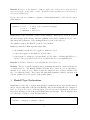
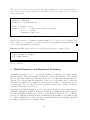
Every chapter of this book is a so-called Haskell module. The following two lines declare the
Haskell module for the Haskell code of the present chapter. This module is called GS.
module GS
where
1
Starting up the Haskell Interpreter
__
__
||
||
||___||
||---||
||
||
||
||
__ __ ____
___
|| || || || ||__
||__|| ||__|| __||
___||
Version: November 2002
_________________________________________
Hugs 98: Based on the Haskell 98 standard
Copyright (c) 1994-2002
World Wide Web: http://haskell.org/hugs
Report bugs to: [email protected]
_________________________________________
Haskell 98 mode: Restart with command line option -98 to enable extensions
Reading file "/usr/lib/hugs/lib/Prelude.hs":
Hugs session for:
/usr/lib/hugs/lib/Prelude.hs
Type :? for help
Prelude>
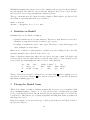
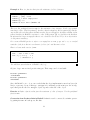
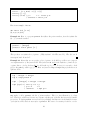
Figure 1: Starting up the Haskell interpreter.
We assume that you succeeded in retrieving the Haskell interpreter hugs from the Haskell homepage www.haskell.org and that you managed to install it on your computer. You can start
the interpreter by typing hugs at the system prompt. When you start hugs you should see
something like Figure (1). The string Prelude> on the last line is the Haskell prompt when no
user-defined files are loaded.
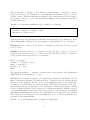
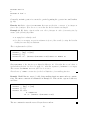
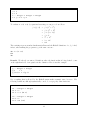
You can use hugs as a calculator as follows:
1
http://www.cwi.nl/~jve/HR
2