1
Use 3
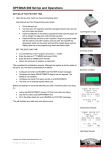
Example of the screen display with a filter on ID_DAT 90 02 (Presence_Check
variable showing the list of connected stations): In this example the period of this
cyclic variable varies between 80.5 and 80.7ms (+/- 0.1ms)
The same command keys as for the CAPTURE mode are available:
• ESC = exits the display and returns to the main menu
• B = Bottom : displays the last frame in the buffer
• T = Top : displays from the first frame in the buffer onwards
• Z = Zoom : displays more details about the frame : error, length, frame
displayed in ASCII
• F = Find : searches for a byte string
• N = find Next : searches for the next occurrence of the byte string searched
for in the previous Find
• S = Saves all captured frames in an ASCII file.
• P = Printf Screen : makes a copy of the screen in text mode in an ASCII file.
• Pgup = Page Up
• Pgdwn = Page Down
• up or down arrows = scrolls through the frames
19