1
Using the MFP control panel and menus
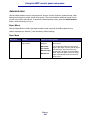
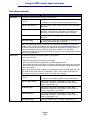
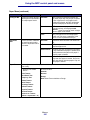
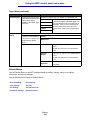
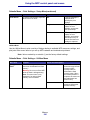
Paper Menu(continued)
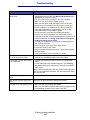
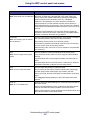
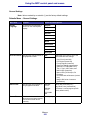
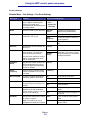
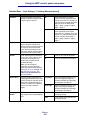
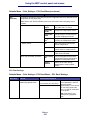
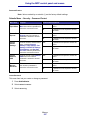
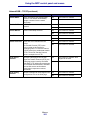
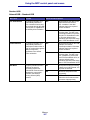
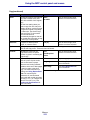
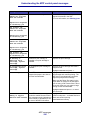
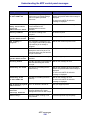
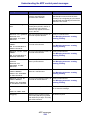
Menu item
Purpose
Values and descriptions
Configure MP
To determine when the MFP
selects print media loaded in
the multipurpose feeder.
Cassette*
MFP treats the multipurpose feeder like
any other paper tray. If a print job requests
a size or type that is only loaded in the
multipurpose feeder, the MFP pulls paper
from the multipurpose feeder for the job.
Manual
MFP treats the multipurpose feeder like a
manual feed tray, and displays Load
Manual when you need to insert a single
sheet of paper in the feeder.
First
MFP pulls paper from the multipurpose
feeder until it is empty, regardless of the
source or size requested for the job.
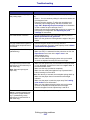
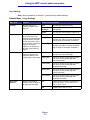
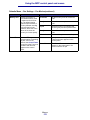
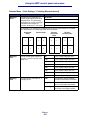
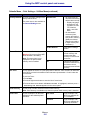
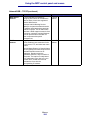
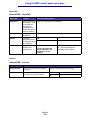
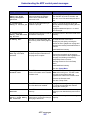
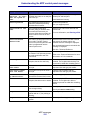
All listed*
Substitutes both Letter/A4 and Statement/
A5.
Off
MFP prompts the user to load the
requested paper size.
Statement/A5
Prints A5 size jobs on statement size paper
if only statement size paper is loaded, and
prints statement size jobs on A5 paper if
only A5 paper is loaded.
Letter/A4
Prints A4 size jobs on letter size paper if
only letter size paper is loaded, and prints
letter size jobs on A4 size paper if only A4
size paper is loaded.
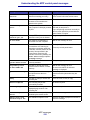
Substitute
Size
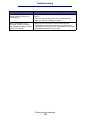
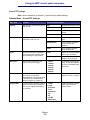
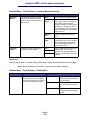
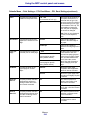
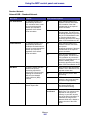
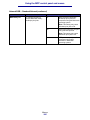
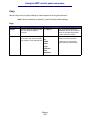
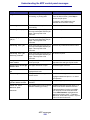
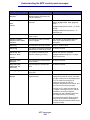
Paper Texture
To have the MFP substitute
the specified print media
size if the requested size is
not loaded.
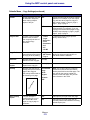
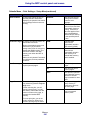
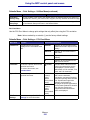
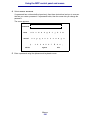
To identify the texture of the paper loaded in a specific source and to ensure that characters
print clearly.
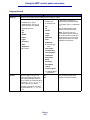
1 Select a print media
texture.
2 Select a value.
Plain Texture
Normal*
Card Stock Text
Rough
Trnsprncy Text
Note: Bond Texture defaults to Rough.
Smooth
Labels Texture
Bond Texture
Envelope Texture
Ltrhead Texture
Preprint Texture
Colored Texture
Custom <x> Texture
(where x represents 1–6)
Menus
166