1
Contents
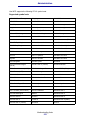
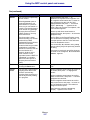
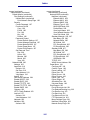
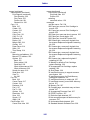
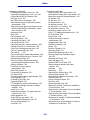
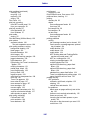
Copying information ....................................................................................................... 27
Making copies ................................................................................................................ 27
Quick copies ............................................................................................................. 27
Select number of copies ........................................................................................... 27
Specify copy from size ............................................................................................. 27
Set copy to size ........................................................................................................ 28
Set collation .............................................................................................................. 28
Set scale .................................................................................................................. 28
Set darkness ............................................................................................................ 28
Specify content ......................................................................................................... 28
Set the duplex feature .............................................................................................. 28
Set paper saver ........................................................................................................ 29
Set margin shift ........................................................................................................ 29
Set time stamp ......................................................................................................... 29
Set overlay ............................................................................................................... 29
Examples of typical jobs ........................................................................................... 29
Job 1: single page .............................................................................................. 30
Job 2: mixed content .......................................................................................... 30
Job 3: use paper saver ....................................................................................... 30
Job 4: two-sided (duplex) copies from one-sided originals ................................ 31
Job 5: enlarge copies ......................................................................................... 31
Using Duplex with your scan original for a two-sided copy ...................................... 31
Interrupting a job to make a copy ............................................................................. 32
Canceling a copy ...................................................................................................... 32
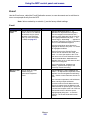
Faxing information ......................................................................................................... 32
Quick fax .................................................................................................................. 32
Sending faxes .......................................................................................................... 33
Build a Fax To: list .................................................................................................... 33
Save a Fax To: list ................................................................................................... 33
Specify original size ................................................................................................. 33
Set resolution ........................................................................................................... 33
Specify content ......................................................................................................... 34
Set darkness ............................................................................................................ 34
Manual Fax .............................................................................................................. 34
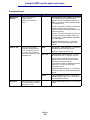
Examples of typical fax jobs ..................................................................................... 34
Job 1: one page .................................................................................................. 34
Job 2: multiple pages ......................................................................................... 35
Job 3: text/graphics content ............................................................................... 35
Job 4: photo ........................................................................................................ 35
Canceling fax jobs .................................................................................................... 35
Canceling a pending or currently transmitting fax job ........................................ 35
Canceling an incoming fax job ........................................................................... 36
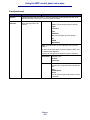
Printing information ........................................................................................................ 36
Avoiding jams when printing .................................................................................... 36
3