1
Contents
Sending a job to print ............................................................................................... 37
Printing from a Windows environment ................................................................ 37
Printing from a Macintosh computer ................................................................... 38
Printing the menu settings page ............................................................................... 38
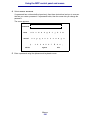
Printing a font sample list ......................................................................................... 39
Canceling a print job from the MFP control panel .................................................... 39
Canceling a print job from your computer ................................................................ 39
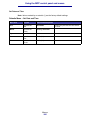
Printing a directory list .............................................................................................. 39
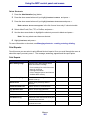
Print Held Jobs—using the Print and Hold function ....................................................... 40
Selecting a user name ............................................................................................. 40
Selecting the type of Held Job ................................................................................. 40
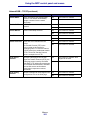
Confidential jobs ................................................................................................. 40
Reserve Print ...................................................................................................... 42
Repeat Print ....................................................................................................... 42
Verify Print .......................................................................................................... 42
Sending a held print job ........................................................................................... 42
Printing and deleting held jobs ................................................................................. 43
Chapter 3: Media specifications and guidelines ......................................44
Scan media specifications and guidelines ..................................................................... 44
Scan media source specifications ............................................................................ 44
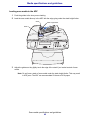
Loading scan media ................................................................................................. 44
Loading scan media in the ADF ......................................................................... 45
Loading scan media in the scanner flatbed ........................................................ 47
Print media specifications and guidelines ...................................................................... 50
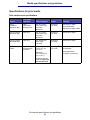
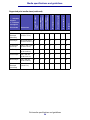
Specifications for print media ................................................................................... 51
Storing print media ................................................................................................... 55
Print media guidelines .............................................................................................. 55
Paper .................................................................................................................. 56
Letterhead .......................................................................................................... 56
Transparencies ................................................................................................... 57
Envelopes ........................................................................................................... 57
Labels ................................................................................................................. 58
Card stock .......................................................................................................... 59
Using the duplex feature for printing ........................................................................ 60
Duplex printing on letterhead ................................................................................... 60
Using Duplex Bind .................................................................................................... 60
Loading print media .................................................................................................. 61
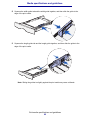
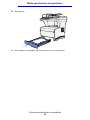
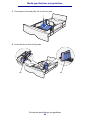
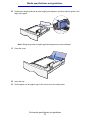
Loading the standard tray or the optional 250-sheet tray ................................... 62
Loading the optional 500-sheet tray ................................................................... 67
Using and loading the multipurpose feeder ........................................................ 72
Loading the multipurpose feeder ........................................................................ 75
Using the output bins ............................................................................................... 80
Using the standard output bin ............................................................................ 80
Using the rear output bin .................................................................................... 81
4