1
Table of Contents
A.
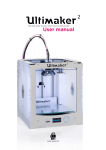
Welcome to the Ultimaker 2
A1.
The Ultimaker experience
A2.
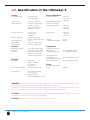
Speciications of the Ultimaker
4
5
6
B.
Get started and unpack your Ultimaker 2
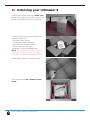
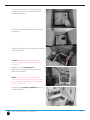
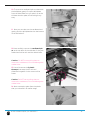
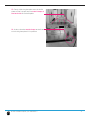
Unboxing your Ultimaker
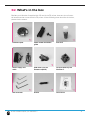
What s in the box
B3.
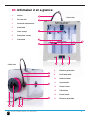
Ultimaker 2 at a Glance
7
8
12
13
C.
Installing parts on your Ultimaker 2
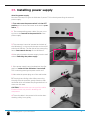
Installing power supply
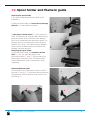
Spool holder and ilament guide
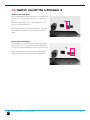
Switch on of the Ultimaker
14
15
16
17
D.
First use of your Ultimaker 2
D
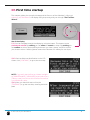
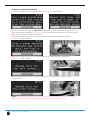
First time startup
D
Leveling the build plate
D
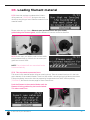
Loading ilament material
D
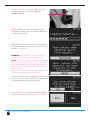
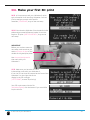
Make your irst D print
D
D Printing and print removal
18
19
20
22
24
25
E.
Makeaprintilewith urasoftware
E
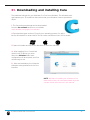
Downloading and installing ura
E
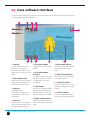
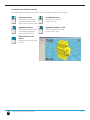
ura software interface
E
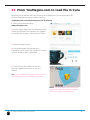
From YouMagine com to load ile in ura
E
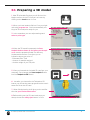
Preparing a D model
E
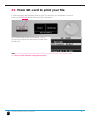
From SD card to print your ile
26
27
28
30
31
32
F.
Maintenance for your Ultimaker 2
F1.
In General
F
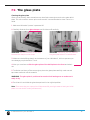
The glass plate
F
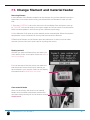
hange ilament and material feeder
F
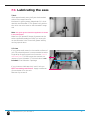
Lubricating the axes
33
34
35
36
37
G.
Troubleshooting and support for the Ultimaker 2
G
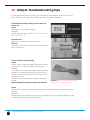
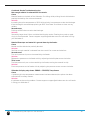
Simple Troubleshooting tips
G
ontact support
G
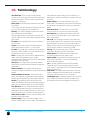
Terminology
G
Safety and ompliance
38
39
41
42
43
Terms of service
46
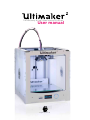
User manual