1
Document Purpose and Scope
Visual Form Editor
1 Document Purpose and Scope
This document is intended as a description and user manual of Visual Form Editor – a new feature of
Oracle Field Service Cloud to be used by the personnel engaged in user management, administration
and system configuration. It is assumed that the reader is familiar with the Oracle Field Service Cloud
(former ETAdirect) functionalities and operating principles.
2 Glossary
The glossary below contains the basic Oracle Field Service Cloud terms used in this document.
Term
Explanation
Context
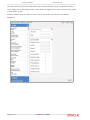
Oracle Field Service Cloud screen showing all available properties and action links
Field
Property present in the system by default
Manage
Application
Product that allows to manage workforce and activities in realtime. Usually serves
as an interface for dispatcher
Mobility
Application
Product that allows field personnel to interact with the system
User
1) A person using Oracle Field Service Cloud
2) An entity used for authentication and authorization, allowing people or external
software to access Oracle Field Service Cloud
3 Overview
Oracle Field Service Cloud is a complex system consisting of multiple modules executing various
functionalities. Different functions are performed in many screens in two applications – Manage (the
application providing the interface for dispatchers and other back-office personnel engaged in mobile
workforce management) and Mobility (the application for field employees actually performing the
customer-facing jobs). The system can be configured taking into account each user's functions and
duties. The user is offered a customized application with the access levels and functions relevant to
their job. On one hand, this enhances the system security, as users can operate only within the
permitted area. On the other hand, the user works in a transparent, clear and understandable
environment and is not distracted by unnecessary settings.
In Oracle Field Service Cloud, such flexibility is implemented through the context layout editing
functionality, which is actually the possibility of customizing various screens used in Oracle Field
Service Cloud and setting their access levels for different user types. This functionality has now
received a totally new transparent and intuitive interface where the context layouts can be easily
created. The user creating Oracle Field Service Cloud screens is now able to design the layout by
dragging and dropping various elements on the screen. The new functionality allows creating Mobility
Application contexts of the 'form' type.
4 Context Layout Editing Description
Each screen, form and dialog window in Oracle Field Service Cloud is based on a context layout, which
is actually a set of items (fields, text labels and action links) used in such screen, form or dialog
window and the elements defining their arrangement (tabs and sections). The context layout also
includes the visibility conditions of each item, that is, the conditions in which it is visible or hidden, as
Confidential || Oracle
Page 3 of 21