1
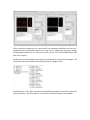
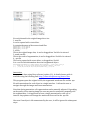
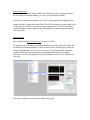
6) Select force added cell file: select the file that list the cells that must be included into the atlas no matter the annotated ratio. You don’t have to provide this file if you don’t force any cell to be included. You can find a list of forceAddCells in the input folder. After setting up these parameters, you click OK. The program will run and generate the initial atlas shortly. You may find your results under the output folder that you’ve setup in the “Adjust preference” step. 1) For each marker, the atlas is named by “atlas” + marker + “.apo”. 2) The initial atlas that combines all the markers is named by “atlas_all.apo” 3) The statistics of cells expressing each marker is saved in “atlas” + maker + “.apo_cellStatistics.txt” 4) The atlases of different cell types are named by “atlas”+celltype+”.apo” Common errors 1)"Build the atlas" hangs Did you create cellnamelist_marker.txt? 2)"atlas_marker.apo" is empty cellnamelist_marker.txt may have hidden characters. 3)Standard deviation is really large Possible mis-‐annotation of a cell identity, or the segment is off-‐by-‐one relative to the Eve channel.