1
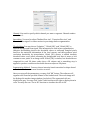
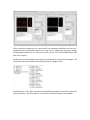
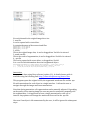
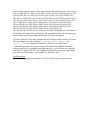
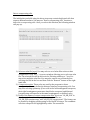
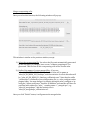
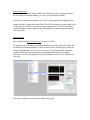
Merge coexpressing cells. Once you select this function, the following window will pop up: This window is similar to the previous window, except: 1) Select the coexpression file: You select the file semi-‐automatically generated by the last step. For example, here we use “cellname_mapping.txt” we generated. This file lists all the coexpressing cells in the current atlas. 2) Prefix of the names of output merged files: If you use “atlas_AP_EN_REPO_PS1_final”, then the final atlas will be name as “atlas_AP_EN_REPO_PS1_final.apo”, and the statistics of cells in this atlas will be: “atlas_AP_EN_REPO_PS1_final.apo_cellStatistics.txt”. Note that the suffix “cellStatistics” is defined in your configuration file, i.e., atlas_config.txt under plugins folder. You may change it by simply editing the atlas_config.txt or by using the “Adjust preference” function. In addition, each marker will have its own final atlas, named by “atlas_” + marker name + “_merged.apo”, e.g., “atlas_AP_merged.apo”, and the statistics file is “atlas_AP_merged.apo_cellStatistics.txt”. Once you click “Finish” button, it will generate the merged atlas.