1
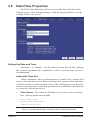
Manual Time Set
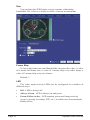
If you don’t have access to a time server, you can manually set the
video server’s clock. You can do this in one of two ways. Using the Sync
button, you can synchronize the Express server's clock to your PC’s clock.
You may also manually modify the time and date in the Date/Time box. In
either case, be sure to hit the Apply button after you’ve set the time.
TIME ZONE
The Express server integrates your current time zone into the time/
date string and can even automatically adjust for daylight savings time.
Type in the time zone code from the list on this page. If your time zone
is not listed, enter your abbreviated time zone followed by the number of
hours you are behind GMT (if you’re ahead of GMT, add the “-” character
before the value).
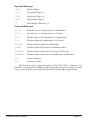
HST10
Hawaiian Standard Time
YST9YDT
Yukon Standard/Daylight Time (Alaska, parts)
MST7MDT
Mountain Standard/Daylight Time
CST6CDT
Central Standard/Daylight Time
AST4ADT
Atlantic Standard/Daylight Time
WET0WETDST
Western European Standard/Daylight Time
MEZ-1MESZ
Mitteleuropaeische Zeit/Sommerzeit
SAST-2SADT
South African Standard/Daylight Time
WST-8:00
Australian Western Standard Time
CST-9:30CDT
Australian Central Standard/Daylight Time
EST-10EDT
Australian Eastern Standard/Daylight Time
AT10ADT
Aleutian Standard/Daylight Time (Alaska, parts)
PST8PDT
Pacific Standard/Daylight Time
MST7
Mountain Standard Time (Arizona)
EST5EDT
Eastern Standard/Daylight Time
NST3:30NDT
Newfoundland Standard/Daylight Time
PWT0PST
Portuguese Winter/Summer Time
MET-2METDST
Middle European Standard/Daylight Time
JST-9
Japan Standard Time
CST-9:30
Australian Central Standard Time
EST-10
Australian Eastern Standard Time
NZST-12NZDT
New Zealand Standard/Daylight Time
Express Video Servers
Page 23