1
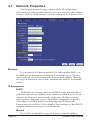
set the Express to Manual IP Assignment and provide the following
information:
•
•
•
IP Address - The IP address you'd like to assign to the Express.
Consult your network administrator to determine what IP address
is OK to use. If you are setting up the Express behind a residential
gateway or cable/DSL router, your IP address will be something
similar to 192.168.1.5.
Subnet Mask - Find out your netmask from your network
administrator. If you're on a private network, your netmask will
usually be 255.255.255.0.
MAC Address - This is the factory-set Ethernet address of the
Express server. It also serves as the Server Serial ID. It cannot be
changed from the web menu.
Network
Hostname
Alphanumeric name of the Express that can get linked to the Express
video server's IP address. This is disabled if DHCP is enabled.
Default: expressxl
Gateway
In most cases, this is a machine name or IP address that serves as
a gateway to the Internet. If the Express is on a private network behind
a router/gateway, you would enter the IP address of the router/gateway.
This is disabled if DHCP is enabled.
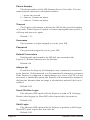
Name Servers
DNS
This is the domain name server’s IP address. This is critical if your
FTP server and/or time server is entered as a domain name and not an IP
address. Check with your ISP to determine your name servers (you can
list up to three). This is disabled if DHCP is enabled.
Web Server
The Express server has a built-in web server which is used to serve
both the live image and configuration pages.
Web Server Port
In most situations you will want to leave the web server port at
its default value of 80. The only situation that calls for changing the
port number is if you're hosting one or more Express servers behind a
residential router/gateway that supports port forwarding.
Express Video Servers
Page 25