1
M M 3 0 M EDI A M O DU L E USER GUIDE
Getting Started
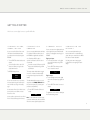
Here’s how to connect digital sources to your Media Module:
1 Conn e c t an i po d ,
i p h on e , o r i P A D
2 Conn e c t T O A
c omp u t e r
You can connect an iPod, iPhone, iPad, or other
UPnP device to the Media Module, to allow
you to play music from the device through the
PRE32/I32:
You can connect the Media Module to a Windows
PC or Macintosh USB input to allow you to use
the PRE32/I32 as a digital audio output device.
•
Turn the SELECTOR until the Media source is
selected:
•
Connect iPod, iPhone, iPad, or other UPnP
device to the USB A port using the cable
supplied with the device.
The PRE32/I32 display will show:
On a PC, Windows XP/SP2 or later is
required. On a Macintosh, OSX 10.4 or later is
recommended.
•
Connect the computer’s USB port to the USB
B input on the Media Module using a USB A
to USB B cable.
3 Conn e c t I N P UTS
You can connect up to three digital optical inputs
and one digital coax input to the Media Module
to allow you to play digital sources through your
PRE32/I32.
Digital optical inputs
•
Connect the optical inputs 1 to 3 to digital
sources with optical outputs, using TOSlink
optical cables.
•
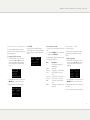
Turn the SELECTOR until the appropriate
source is selected; for example:
Digital coax input
•
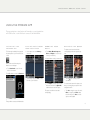
You can now browse the music on your device,
and control playback, using the Primare App; for
more information see Using the Primare App,
page 6.
The Media Module will then appear as a sound
output device called XMOS USB Audio 2.0 in
the Sound control panel (PC) or Sound system
preferences panel (Macintosh).
Connect the digital coax input 4 to a digital
source with a coax output using a digital coax
cable.
•
Turn the SELECTOR until the Coax source is
selected:
You need another iPhone, iPod or iPad to browse
the music which is on the USB-A connected
iPhone, iPod or iPad.
•
iPod
It is also possible to play the music from your iPod,
iPhone or iPad over Wifi using the Primare App.
Turn the SELECTOR until the USB source is
selected:
USB
You can connect the Media Module to the
Internet via either Wi-Fi or a standard Ethernet
cable, to allow you to stream audio to the PRE32/
I32, or listen to Internet radio stations.
See Setting up the network settings, page 4,
for information about configuring the network
settings.
Tos1
The first time that the Media Module is plugged
in to the PC or Macintosh it will automatically
be recognised, and appropriate drivers will be
installed.
Media
4 Conn e c t T O THE
I N TER N ET
Coax
The digital inputs can be renamed or disabled, just
like the standard analogue inputs.
Note: For best results set the computer volume
control to its maximum value, and use the PRE32/
I32 volume control to adjust the playback volume.