1
M M 3 0 M EDI A M O DU L E USER GUIDE
Technical specification
Cop y r i g h t an d
a c k nowl e d g m e n t s
Copyright © 2012 Primare AB.
All rights reserved.
Primare AB
Renvägen 1
SE-352 45 Växjö
Sweden
http://www.primare.net
F e at u r e s
P e r fo r man c e
Issue: MM/1
External Inputs:
Inputs selectable from I32 and PRE32
1 x Coax input at 192kHz
Each input will have its default name, but can be
renamed by the user (up to six characters) in the
same way as any other input in the I32/PRE32
display architecture.
The information in this guide is believed to be
correct as of the date of publication. However,
our policy is one of continuous development and
so the information is subject to change without
notice, and does not represent a commitment on
the part of Primare AB.
3 x Toslink inputs at 192kHz
1 x asynchronous USB-B input allowing playback
of 192kHz audio from a computer
1 x asynchronous USB-A input, allowing the
device to play audio from USB/iPhone
1 x Coax output transmitting at 192 kHz. Always
connected to the active input source.
N e t wo r k
c onn e c t i on
The Media board can be connected to a wired or
wireless network.
Network settings can be found under general
settings, and allow the user to:
Scan for wireless networks
Explicitly name a network SSID
Configure DHCP or Fixed IP
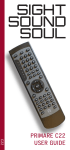
The inputs are selected using the C23 remote
control or the front panel input selector switch.
Primare is a trademark of Primare AB.
Toslink 1-3
This guide was produced by
Human-Computer Interface Ltd.
http://www.interface.co.uk
USB-B input (from computer USB interface)
Safety compliance
USB-A input, allowing the device to play audio
from USB/Iphone
This product has been designed to meet the IEC
60065 international electrical safety standard.
Coax input
MEDIA input – this input must be selected to play
streaming media.
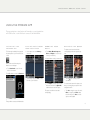
The media module can be controlled by an
external App:
Switch to the MEDIA input
Use either the Primare App (for iPhone/iPad, or
the Android version) or any generic UPnP
A pp
Some features, like playing media from USB thumb
drive, USB-connected iPhone, iPod Touch, or iPad,
and playing vTuner, require the use of the Primare
App.