1
TimeStorm User’s Manual
selected. This checkbox is selected by default. When this checkbox is deselected, you must
manually enter the corresponding information in the fields in the ‘Execute’ tab.
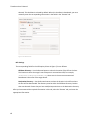
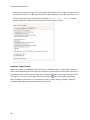
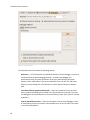
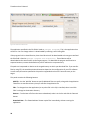
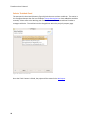
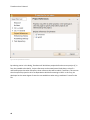
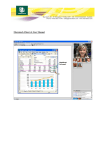
Figure 7: Download Tab
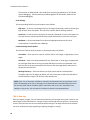
NFS Settings
The corresponding fields for the NFS option (shown in Figure 7) are as follows:
RFS Base Directory— Use the Browse button to select the location of the RFS on the host.
This location is where the target’s root filesystem is mounted over NFS; for example,
/home/user/timesys/boardname/rfs, where user is the current username and
boardname is the name of the target board.
Destination Directory — Use the Browse button to select the location in the RFS to where
the files will be downloaded. The directory must be within the RFS Base Directory location
that was selected. Ensure that you have read/write permissions to the destination directory.
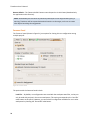
After you have entered the required information in this tab, select the ‘Execute’ tab, and enter the
appropriate information.
17