1
3.3
External Keyboard or Keypad
This notebook has a keyboard with full-sized keys and an embedded
keypad. If you do a lot of numeric data entry, you may want to use a 17-key
numeric keypad for greater convenience.
Also, if you feel more
comfortable using a desktop keyboard, you can install a 101-/102-key,
PS/2-type external keyboard.
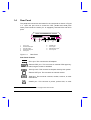
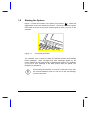
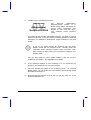
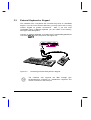
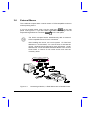
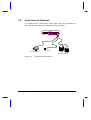
Connect an external keyboard or keypad into the keyboard/keypad/mouse
connector (
) on the rear panel. See Figure 3-2.
Figure 3-2
Connecting an External Keyboard or Keypad
The notebook also supports the IBM Y-bridge type
keyboard/mouse connector for simultaneous keyboard and
mouse connection to the PS/2 port.
3-6
User’s Manual